Chapter 3 Router Setup
SL200 User Manual
12
3 Setup Router Configurations via Web
Browser
The router comes with a web-based conguration utility. Users
can access this conguration utility from any of client system within
SL200 Router’s LAN. For best results, either use Microsoft Internet
Explorer 5.0 or later, or Netscape Navigator 4.7 or later.
Before you start conguring your router, you have to get the
following information from your ISP:
a) Has your ISP assigned you a static IP address, or they will
assign one to you dynamically? If you have received a static IP
address, what is it?
b) Does your ISP use PPPoE? If so, what is your PPPoE
username and password?
If you are not sure of above questions, please contact your ISP.
3.1 Start your Web Browser
To use the Web-Based Utility, you have to launch your Internet
Browser (MS IE 5.0 or later, Netscape Navigator 4.7 or later).
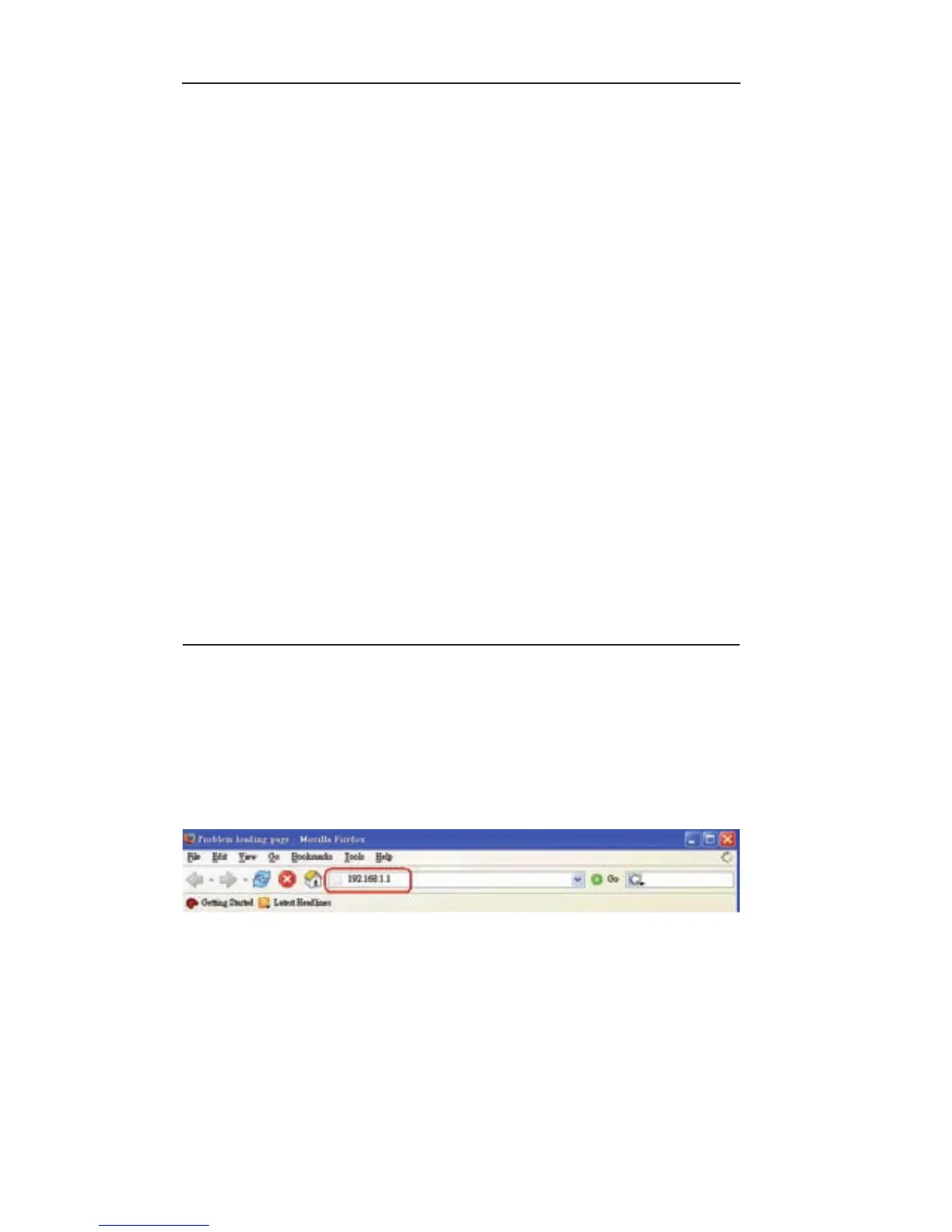
Step 1
: E nt e r the de f a ul t IP ad d re s s of SL 2 0 0 Ro ut e r
http://192.168.1.1 in the address field, and then press Enter
button.
Step2: After the login dialog box appears, enter admin as User
Name and the default password is also admin, then click “OK”
to login web-based utility.



 To Next Page
 Loading...