SL200 User Manual
Chapter 3 Router Setup
21
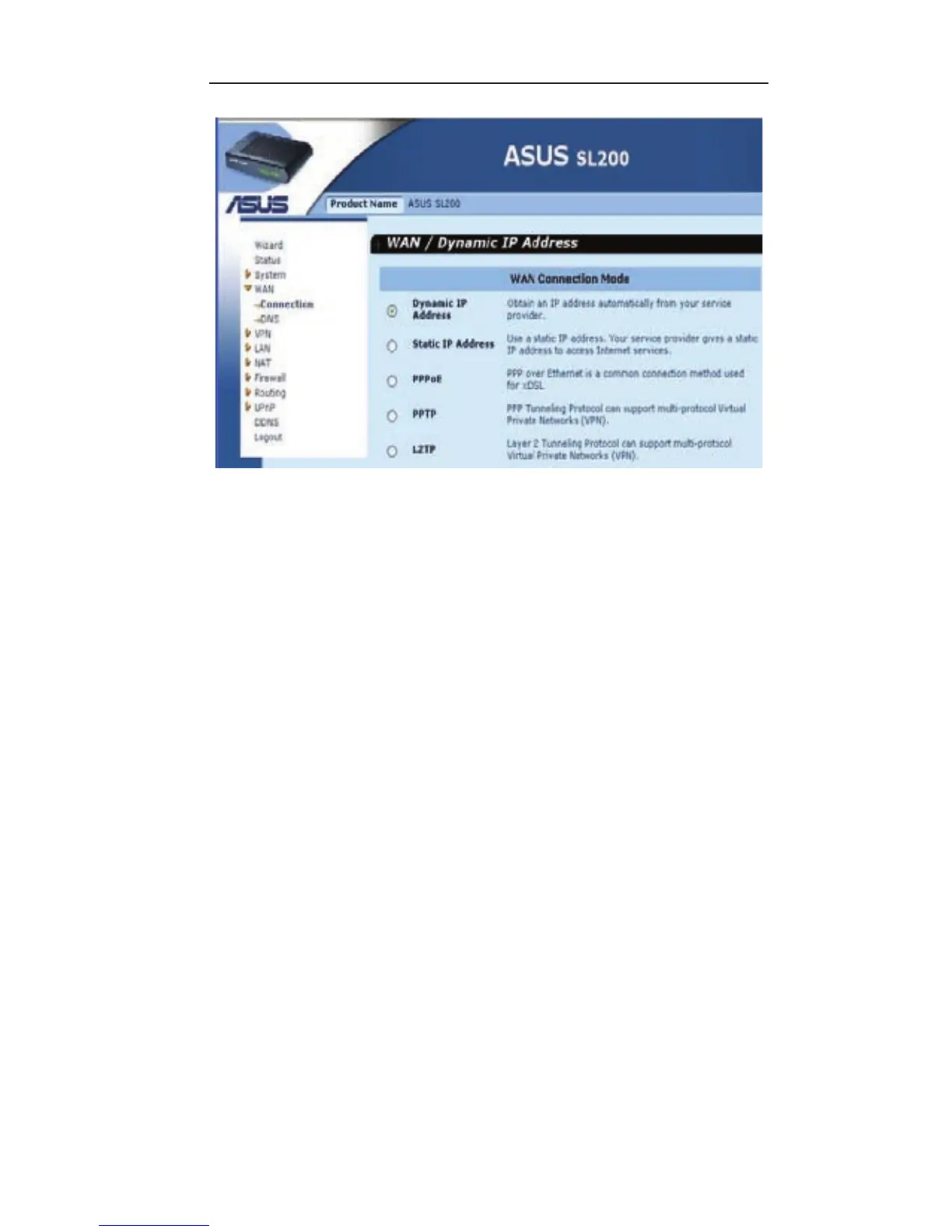
Dynamic IP address
: You will obtain an IP address from your ISP
automaically.
Static IP address
: you can use the xed IP address assigned by
your ISP to access the internet service.
PPPoE
: Your ISP requires PPPoE connection.
PPTP
: Your ISP requires you to use a Point-to-Point Tunneling
Protocol (PPTP) connection.
L2TP
: Your ISP requires L2TP connection.
3.4.2 Dynamic IP
The Host Name is optional, but may be required by some ISPs.
The default MAC address is set to the WAN’s physical interface on
the router. Use this address when registering for Internet service,
and do not change it unless it is required by your ISP, You can use
the “Clone MAC Address” button to copy the MAC address of the
Ethernet Card installed by your ISP and replace the WAN MAC
address with this MAC address.


 To Next Page
 Loading...