EasyManua.ls Logo

BMW E85 - Destination Input Main Menu; Destination Input Submenu; Route Selection

BMW E85
140 pages
Print Icon
To Next Page IconTo Next Page
To Previous Page IconTo Previous Page
Loading...
E85 Information/Communication
- 124 -
- Destination input main menu
- Destination input submenu
- Route selection
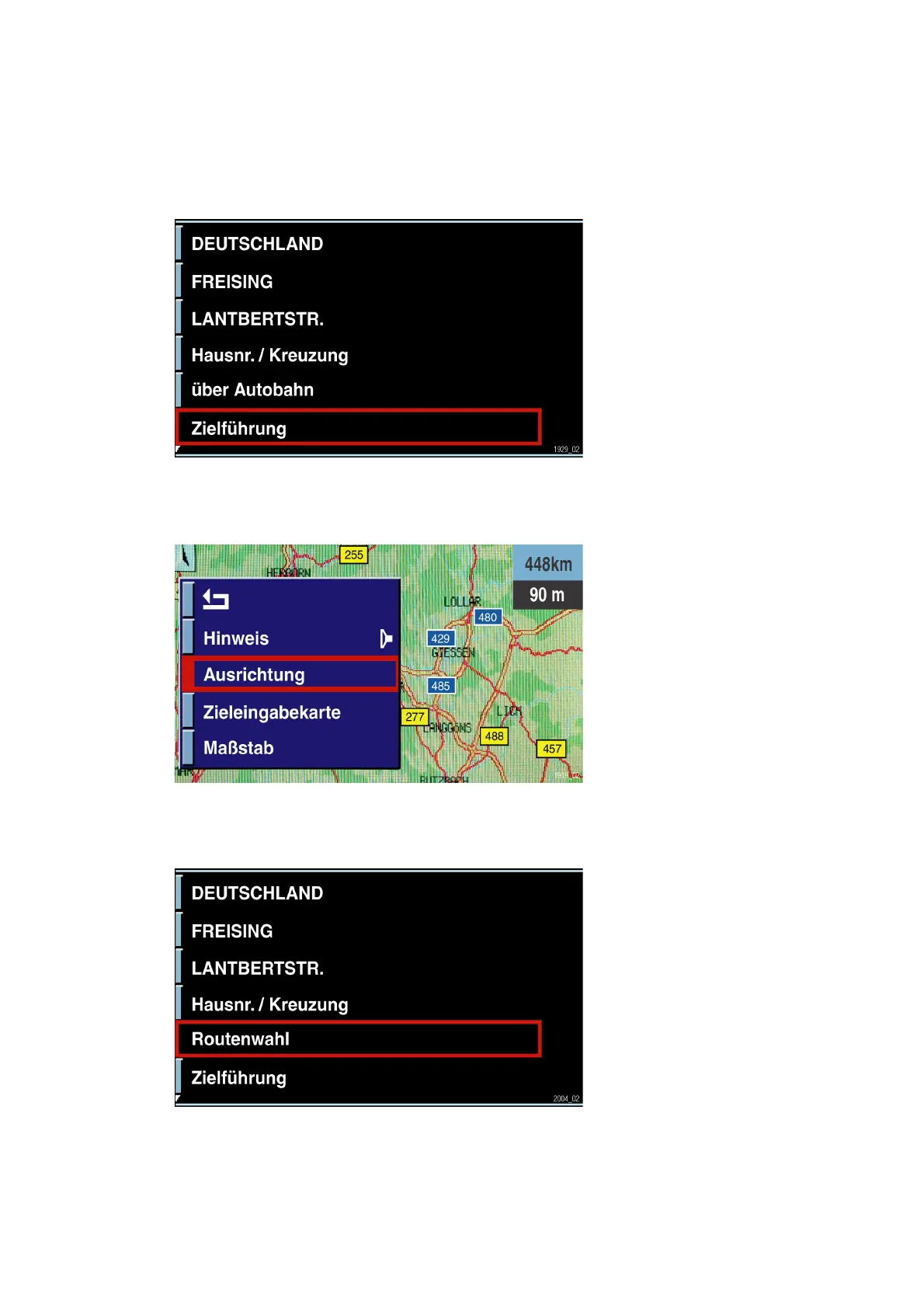
Fig. 91: Destination input menu
The mask for
entering the desti-
nation is accessed
after selecting the
"GPS navigation"
menu. A submenu is
selected by
pressing the rotary
push-button on the
CID control panel.
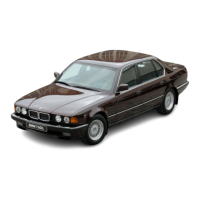
Fig. 92: Destination input submenu
In the
"Announcement"
menu, the last voice
announcement is
repeated by
pressing the button.
By pressing the
button for longer
than 2 seconds, the
announcement is
deactivated or
activated depending
on the setting.
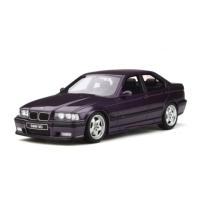
Fig. 93: "Route selection" menu
KT-10533
KT-10523
KT-10667

Table of Contents

Other manuals for BMW E85

Related product manuals