75
E
Using the Full
Range of Features
+
,
+
+
,
+
Adjusting Exposure Manually
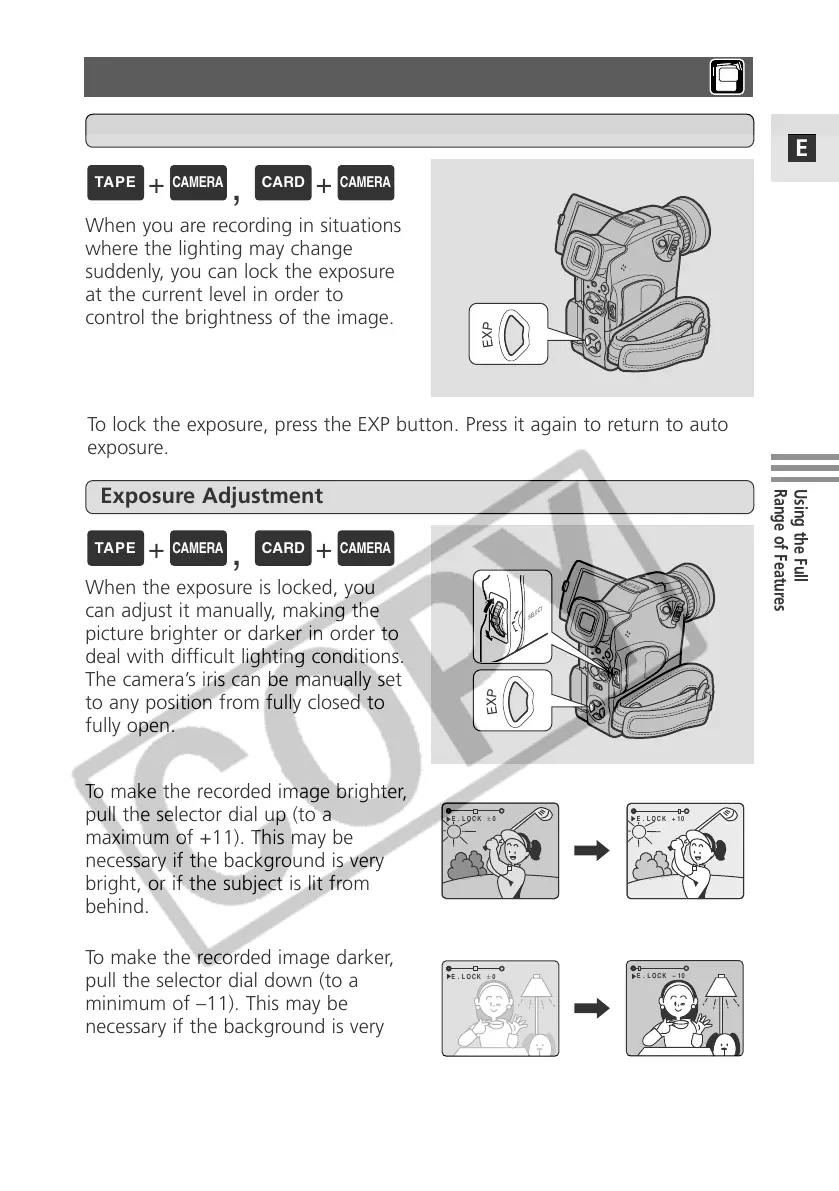
To make the recorded image brighter,
pull the selector dial up (to a
maximum of +11). This may be
necessary if the background is very
bright, or if the subject is lit from
behind.
To make the recorded image darker,
pull the selector dial down (to a
minimum of –11). This may be
necessary if the background is very
dark, or if the subject is spotlit.
When you are recording in situations
where the lighting may change
suddenly, you can lock the exposure
at the current level in order to
control the brightness of the image.
When the exposure is locked, you
can adjust it manually, making the
picture brighter or darker in order to
deal with difficult lighting conditions.
The camera’s iris can be manually set
to any position from fully closed to
fully open.
Exposure Lock
Exposure Adjustment
To lock the exposure, press the EXP button. Press it again to return to auto
exposure.


 To Next Page
 Loading...