1-10
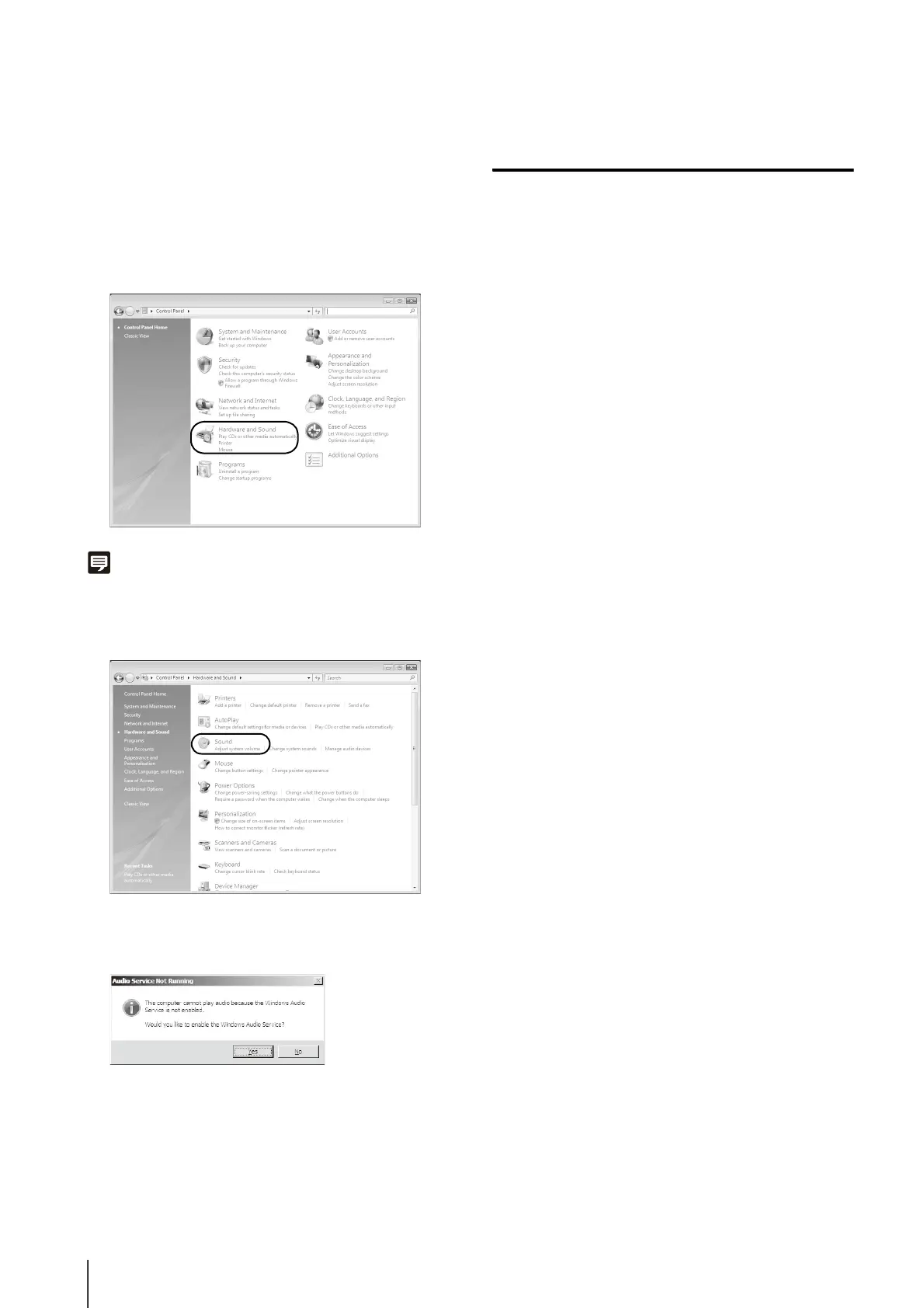
Enabling the Sound Function to Use Audio
In Windows Server 2008, the sound function is disabled
by default.
To receive audio with the Viewer, follow the steps below to
enable the sound function.
Note
If [Control Panel] is in the classic view, double-click [Sound].
Notes on Use with Windows Vista/
Windows 7
The following restrictions apply when the camera is used
with Windows Vista or Windows 7.
RM-Lite
For more important information on the RM-Lite operating
environment, see the “Administrator's Manual.”
1
Open [Control Panel] and click [Hardware and Sound].
2
Click [Sound].
3
When the [Audio Service Not Running] message
appears, click [Yes].
4
The [Sound] dialog box appears.
Click the [Playback] tab to confirm that an audio device
has been installed. (If no audio device is installed, refer
to your PC manual.)


 To Next Page
 Loading...










