3-23
Hardware Installation Guide for Cisco 4000 Series Integrated Services Routers
OL-32185-02
Chapter 3 Install and Connect Cisco 4000 Series ISRs
Connect to Console Terminal or Modem
• 8 data bits
• no parity
• 1 stop bit
• no flow control
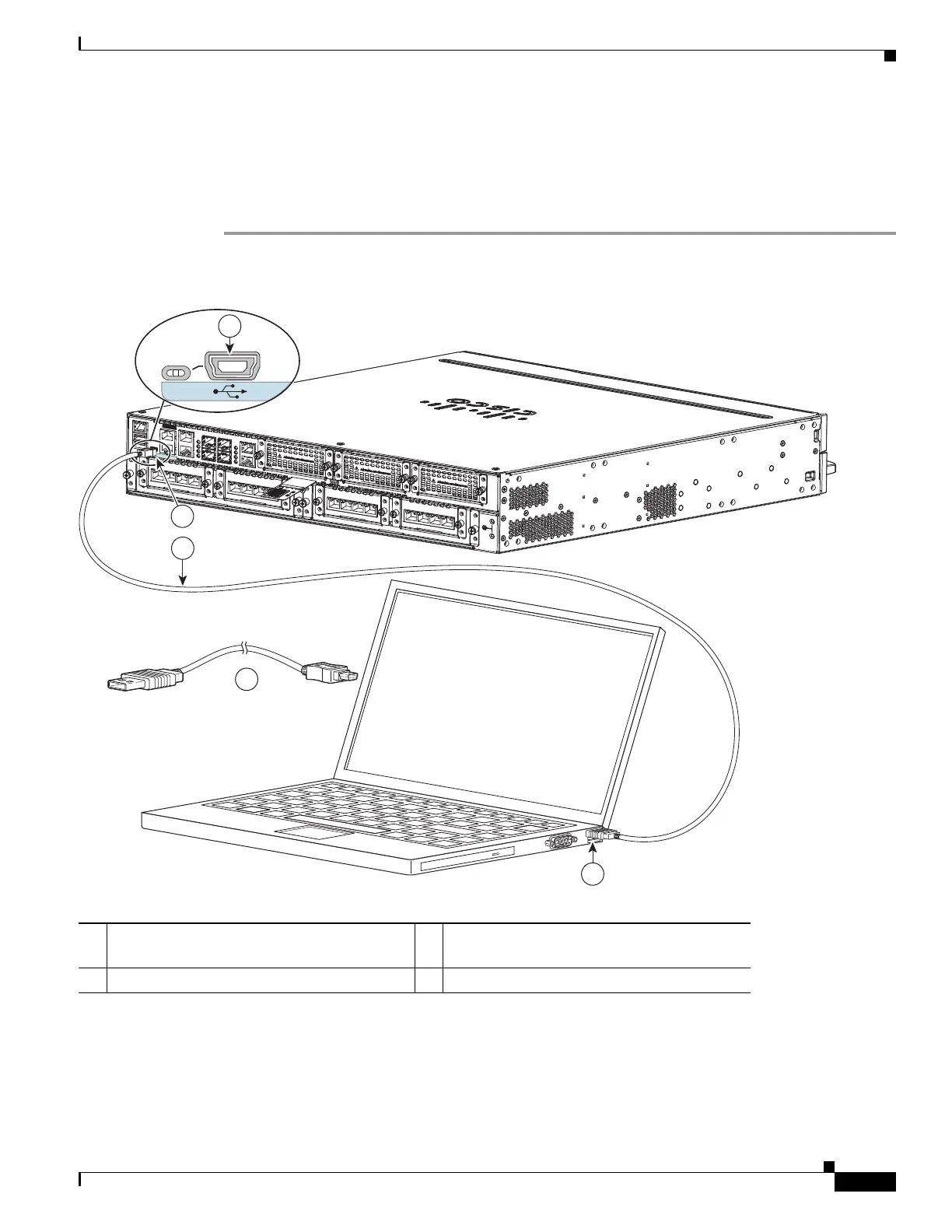
Figure 3-14 Connecting the USB Console Cable to the Router (shown: Cisco ISR 4451-X)
Connect to Console Port with Mac OS X
You connect a Mac OS X system USB port to the console using the built-in OS X Terminal utility.
1 USB 5-pin mini USB Type-B console port 2 USB 5-pin mini USB Type-B to USB Type-A
console cable
3USB Type-A
CONSOLE
AUX
302959
3
2
2
1
EN
1


 To Next Page
 Loading...