96
Using the Menus: Playback Mode
J
DISP. ASPECT [4 : 3]
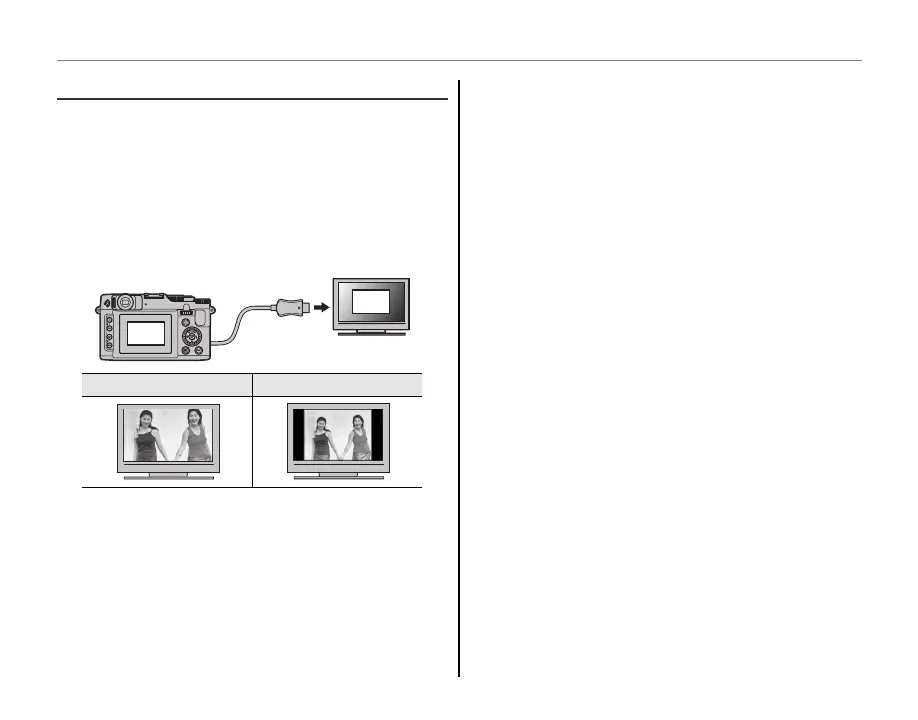
Choose how High Definition (HD) devices display
pictures with an aspect ratio of 4 : 3 (this option is
available only when an HDMI cable is connected).
Select 16 : 9 to display the image so that it fills the
screen with its top and bottom cropped out, 4 : 3
to display the entire image with black bands at
either side.
16:9
4:3
16 : 9
4 : 3
1
Photographs with an aspect ratio of 16 : 9 are displayed
full screen, those with an aspect ratio of 3 : 2/1 : 1 in a
black frame.


 To Next Page
 Loading...