Installing a Memory Card
NOTE: This feature is not available for all device models.
WARNING
Do not use a sharp object to remove user-replaceable batteries.
You can install a microSD
®
memory card in the handheld device for additional storage or pre-loaded maps.
1 Turn the D-ring counter-clockwise, and pull up to remove the cover.
2 Remove the battery.
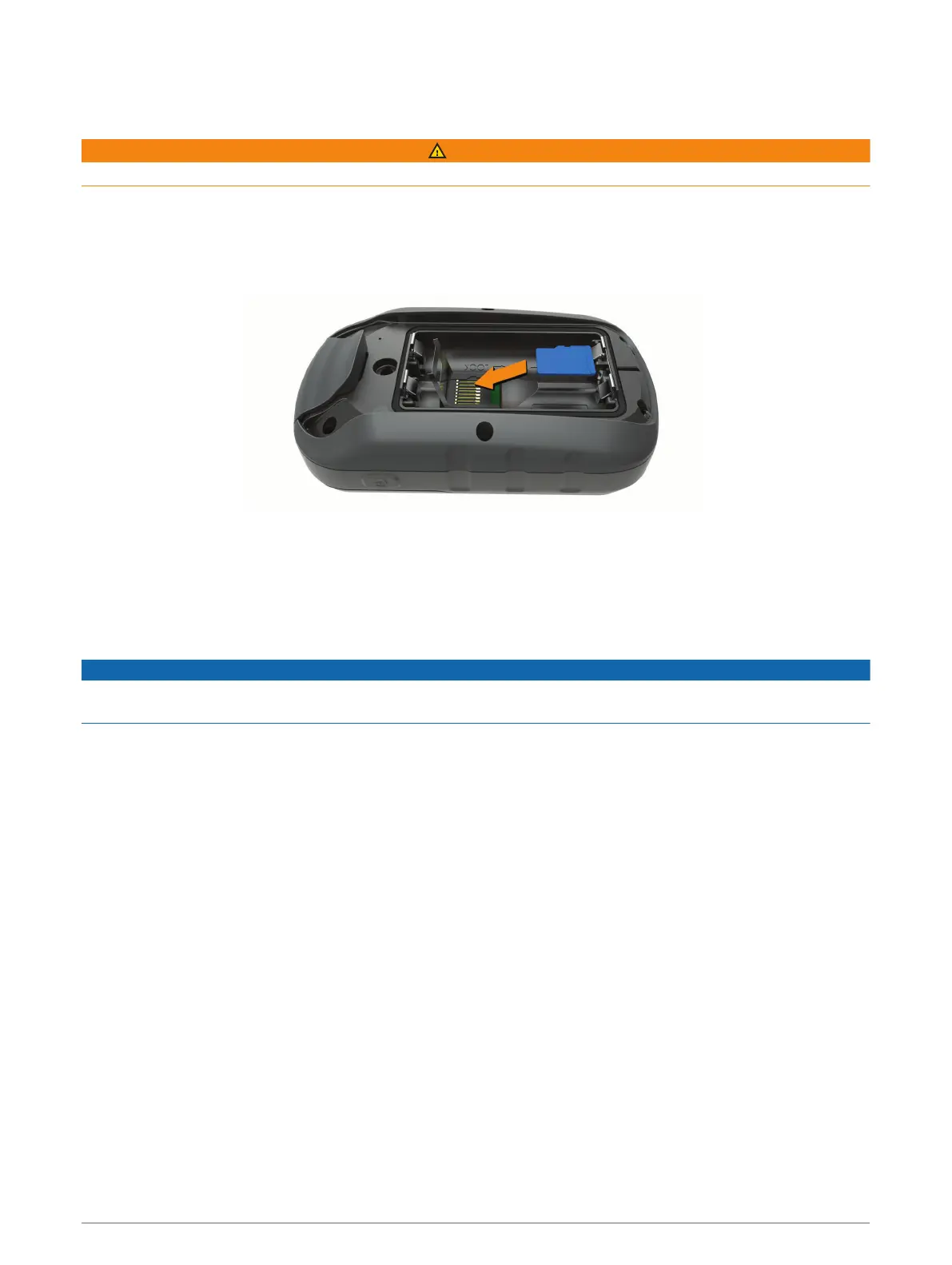
3 Slide the card holder to the left and lift up.
4 Place the memory card with the gold contacts facing down.
5 Close the card holder.
6 Slide the card holder to the right to lock it.
7 Replace the battery and cover.
Connecting the Device to Your Computer
NOTICE
To prevent corrosion, thoroughly dry the USB port, the weather cap, and the surrounding area before charging or
connecting to a computer.
Before you can operate your device while connected to your computer, you must install batteries. The computer
USB port may not provide enough power to operate the device.
1 Pull up the weather cap from the mini-USB port.
2 Plug the small end of the USB cable into the mini-USB port.
3 Plug the large end of the USB cable into a computer USB port.
On Windows computers, the device appears as a removable drive or a portable device, and the memory card
may appear as a second removable drive. On Mac computers, the device and memory card appear as
mounted volumes.
Device Information 21



 To Next Page
 Loading...