New2001
34
4
BASIC OPERATION
4
■ Settingafrequency
q WhenVFOmodeisselected,push[V/MHz] to select
the1MHzor10MHzQuickTuningfunctionstep,orturn
it OFF.
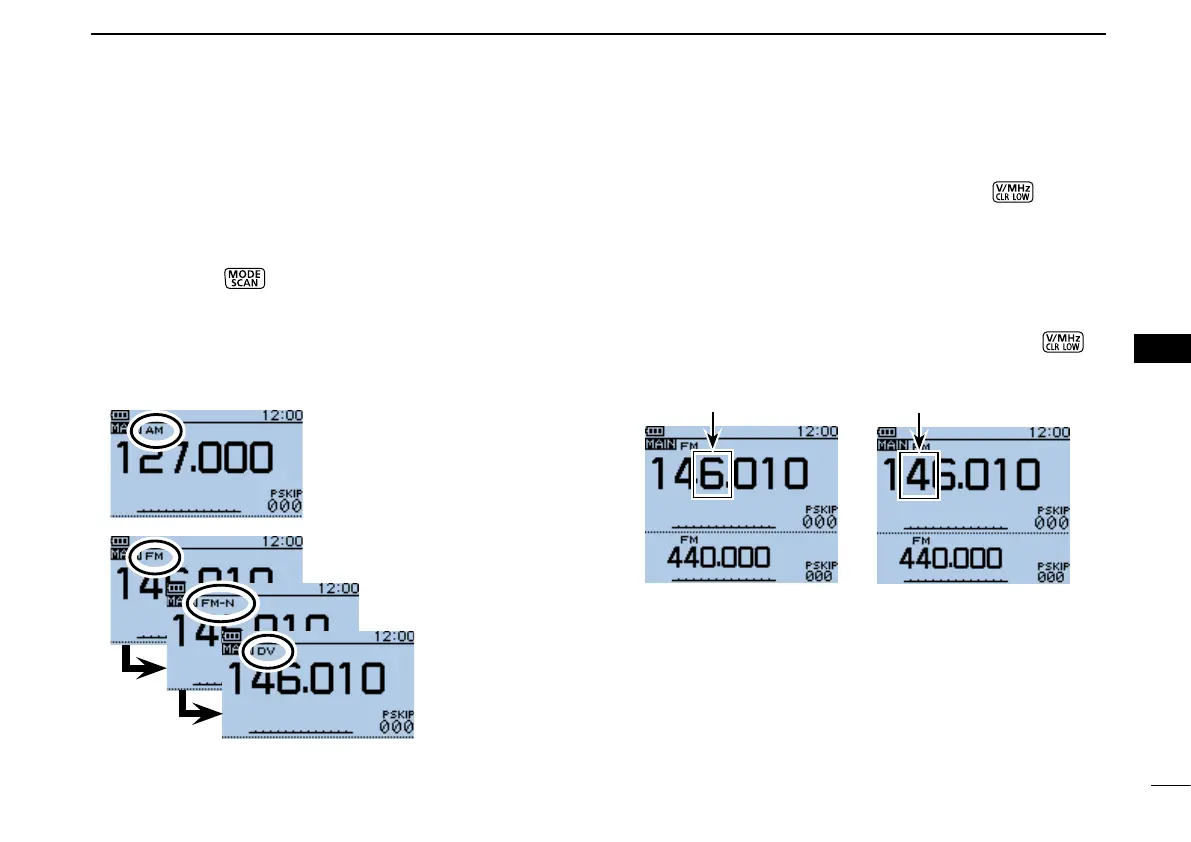
•Whenthe1MHzstepisselected,the1MHzdigitblinks.
•Whenthe10MHzstepisselected,the10MHzdigitblinks.
Rotate[DIAL]toselectthedesiredfrequencyin1MHzor w
10 MHz steps.
When10MHzstepsareselected,push[V/MHz] e
to
canceltheQuickTuningfunction.
Blinks
When the frequency
changes in 1 MHz steps.
When the frequency
changes in 10 MHz steps.
Blinks
■ Selectingtheoperatingmode
Operating modes are determined by the modulation of the
radio signals. The transceiver has a total of four operating
modes, AM, FM, FM-N and DV.
Push[MODE] ➥
one or more times to select a desired
operating mode.
•TheAMmodecanbeusedforonlytheAIRband(108.000MHz
to 136.995 MHz).
•Whenthe“GPSTXMode”itemisset,“DV-A”or“DV-G”appears
instead of “DV.” (p. 23)
FM mode selected
FM-N mode selected
DV mode selected
AM mode selected
BASIC OPERATION


 To Next Page
 Loading...













