55
6
D-STAR OPERATION
New2001 New2001
Holddown[PTT]totransmit2.
While holding down [PTT], q
speak at your normal voice
level.
Transmitting
Push w or [CLR] to
return to the previous call sign
setting.
Return to the previous
screen
■ MakingaLocalareacall
ALocalareacallcanbemadewhen“LocalCQ”isusedtoset
“CQCQCQ”in“TO”(Destination).
WhatisaLocalAreaCall? ✓
To call through your local area (access) repeater.
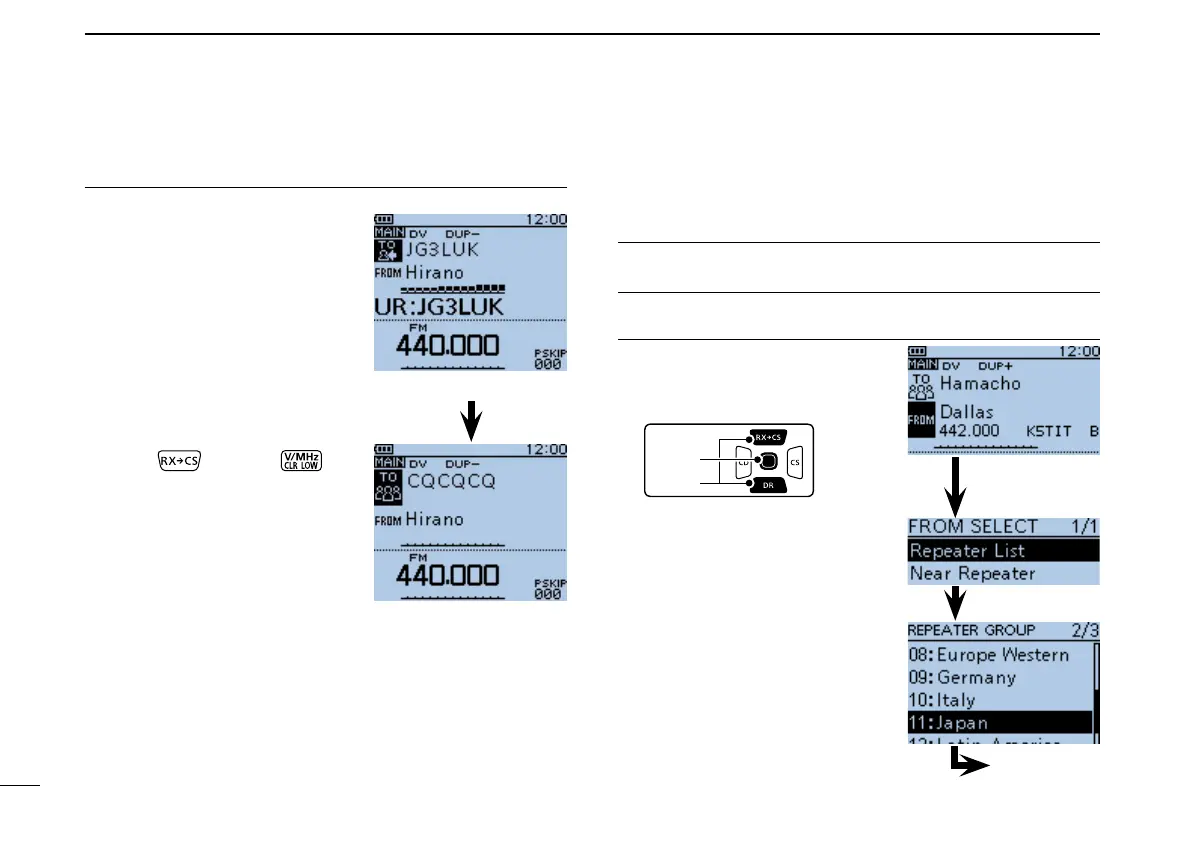
Set“FROM”(Accessrepeater)1.
Push D-pad( q ) to select
“FROM,” and then push
D-pad(Ent).
Push D-pad( w ) to select “Re-
peater List,” and then push
D-pad(Ent).
Push D-pad( e ) to select the
repeater group where your
access repeater is listed, and
then push D-pad(Ent).
•Example:“11:Japan”
Go to step r
Capturing a call sign (Continued) ■


 To Next Page
 Loading...













