Sewing LED
Put out.
FORWARD
BACK
or
READY
FORWARD
BACK
or
RESET
R
READY
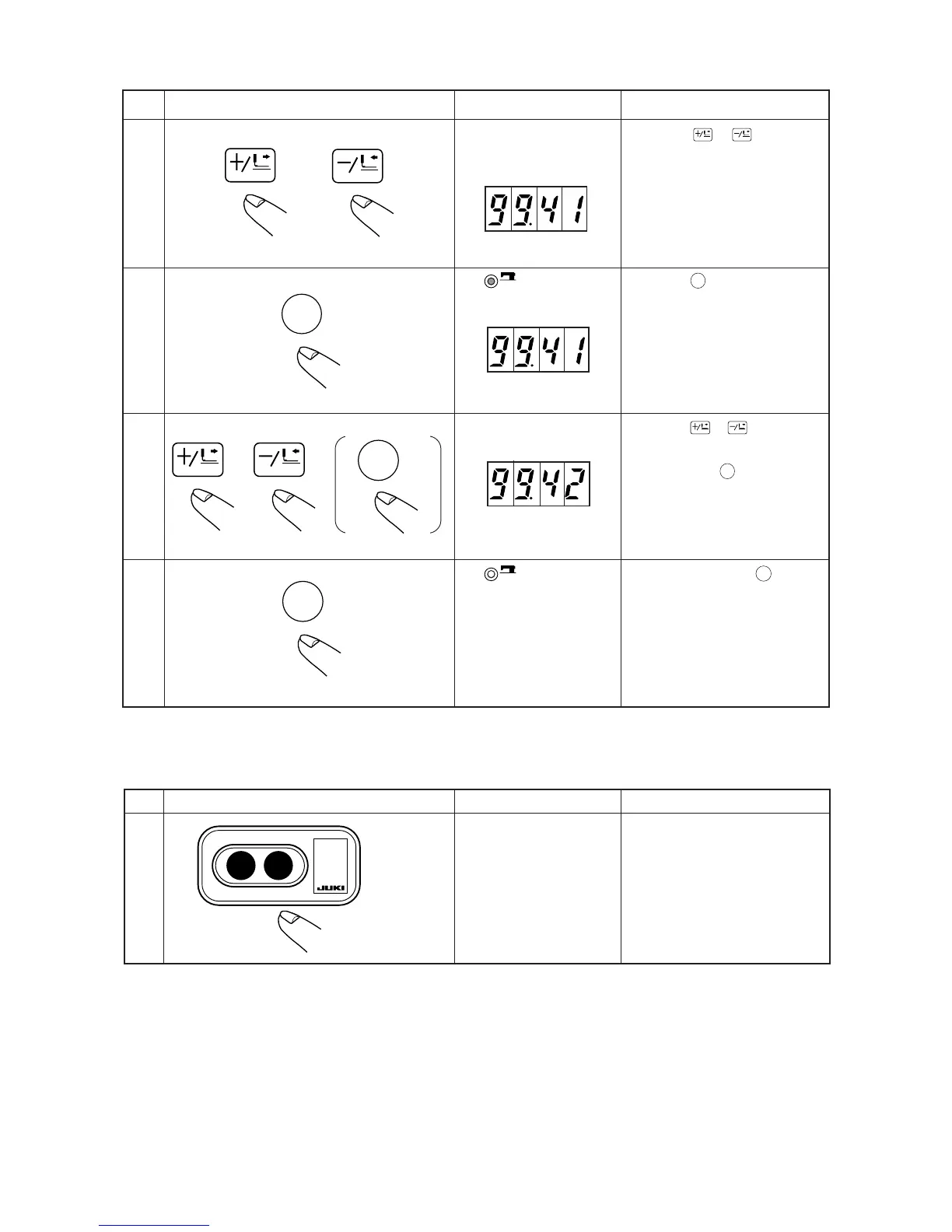
④ Operation when the indication section is “99.”
Press down
FORWARD
or
BACK
key to select
the indication No. 99.
Press down
READY
key to light up Sewing
LED.
Press down
FORWARD
or
BACK
key to change
the set value.
(The setting returns to the initial value
by pressing down
RESET
R
key.)
After setting, press down
READY
key to put
out Sewing LED and register.
Explanation
Turn OFF the power.
Step
1
Operation method Indication
OFF ON
2) How to finish the memory switches
Turn OFF the
power switch.
ExplanationStep Operation method Indication


 To Next Page
 Loading...