This section describes how to operate the projector to view the picture from the equipment
connected to the projector. It also describes how to adjust the quality
of
the picture to suit
your taste.
Projecting the Picture on the Screen
1,2 4
---t~
1
Rear remote
con'rol detector
1/3:-..
~
'1+1--2
I
UGHT
I
II
4--i1+---
~
I
MENU
I
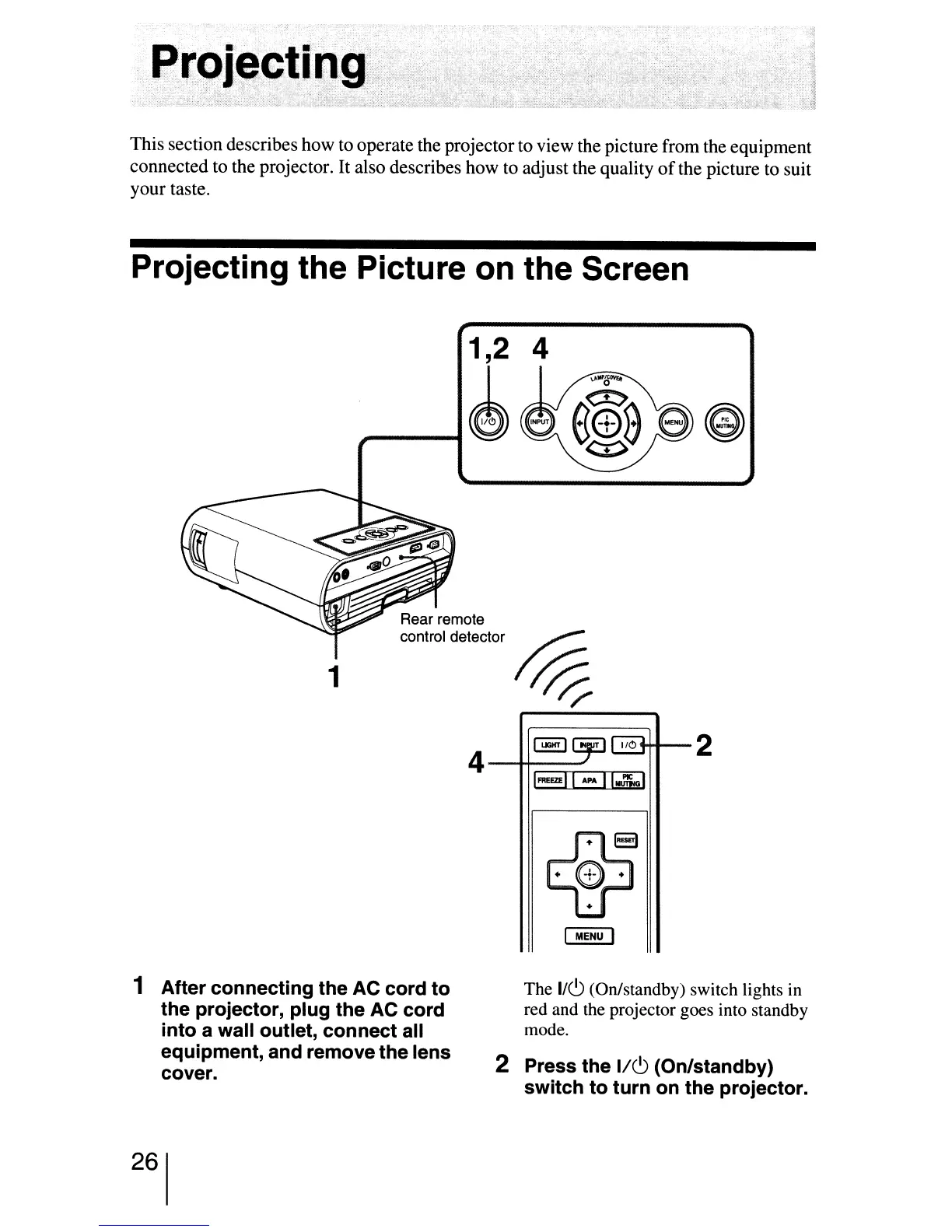
1 After connecting the AC cord to
the projector, plug the AC cord
into a wall outlet, connect all
equipment, and remove the lens
cover.
The
1/c.9
(On/standby) switch lights
in
red and the projector goes into standby
mode.
2 Press the
1/c.9
(On/standby)
switch to turn on the projector.
26


 To Next Page
 Loading...







