Replacing the Lamp
The lamp used as a light source
is
consumable product. Thus replace the lamp
with a new one in the following cases.
• When the lamp has burnt out or dims
• "Please replace the Lamp and clean the
Filter" appears on the screen
• The LAMP/COVER indicator lights up
(repeats flashing three times)
The lamp life varies depending on
conditions
of
use.
Use an LMP-E190 Projector Lamp as the
replacement lamp.
Use
of
any other lamps than the LMP-E190
may cause damage to the projector.
1m
•
If
the
lamp
breaks,
ask
qualified Sony
personnel
to
replace
the
lamp
and
to
check
inside.
• Pull out the lamp by holding the handle.
• When removing the lamp, make sure it
remains horizontal, then pull straight up.
Do
not tilt the lamp.
If
you pull out the lamp
while tilted and
if
the lamp breaks, the
pieces may scatter, causing injury.
1
Turn
off
the
projector, and
disconnect
the
AC
power
cord
from
the
AC outlet.
1m
When you replace the lamp after using the
projector, wait for at least an hour for the
lamp to cool.
2 Place a
protective
sheet
(cloth)
beneath
the
projector.
Turn
the
projector
over
so
you
can see
its
underside.
1m
Be sure that the projector is placed on a
stable surface.
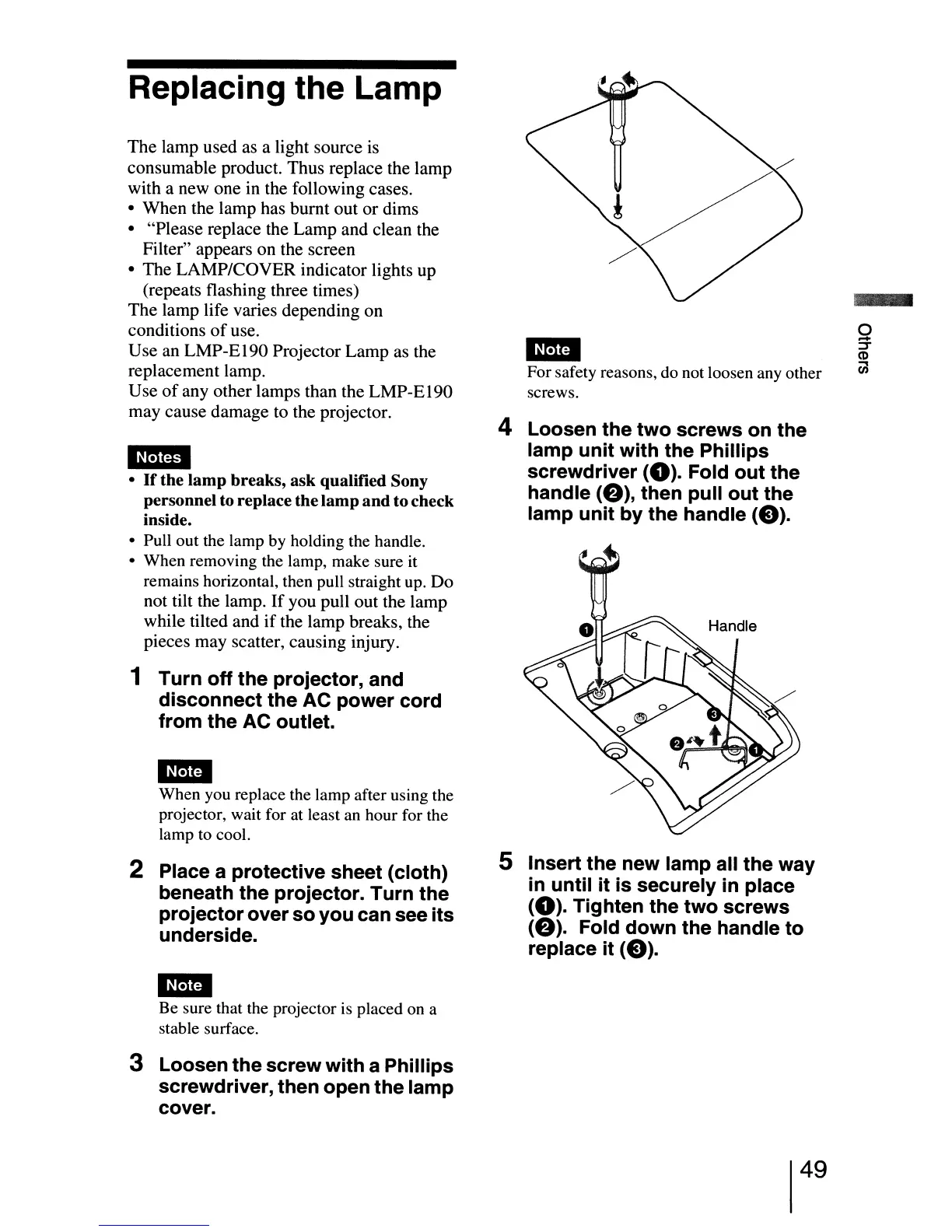
3 Loosen
the
screw
with
a
Phillips
screwdriver, then
open
the
lamp
cover.
1m
For safety reasons, do not loosen any other
screws.
4 Loosen
the
two
screws
on
the
lamp
unit
with
the
Phillips
screwdriver
(0).
Fold
out
the
handle
(e),
then
pull
out
the
lamp
unit
by
the
handle
(e).
5 Insert
the
new lamp all
the
way
in
until
it
is
securely in place
(0).
Tighten
the
two
screws
(e).
Fold
down
the
handle
to
replace
it
(e).
49


 To Next Page
 Loading...







