Pax-i3D Smart(PHT-30LFO) Installation Manual
87
7 Setting up PC’s Environment Variables
7.4
Setting up the Power Mangement Options
The following statements are based on the windows 7 environment. Depending on the operating
system employed, the gures on your system may appear different slightly.
To avoid disruptive and abnormal operation while acquiring image, it is required to recongure some
parameters on the Windows operating system.
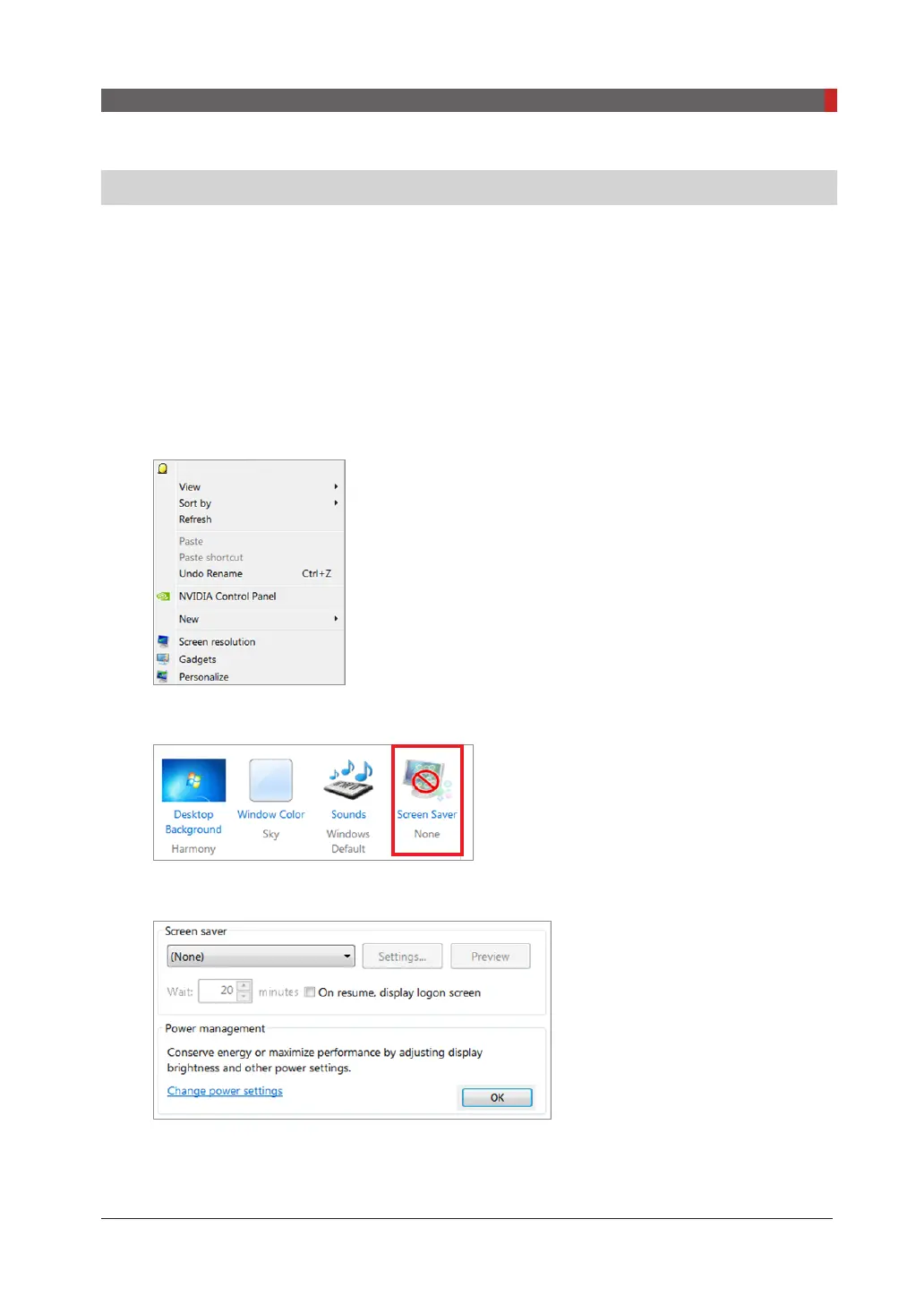
Disabling the screen saver
From the desktop,
1.
Click the right mouse button and select
Personalize
.
2.
Locate and click the screen saver.
3.
Select
None
in the pull-down menu.
4.
Click
OK
.



 To Next Page
 Loading...








