18 PSR-A3000 Owner’s Manual
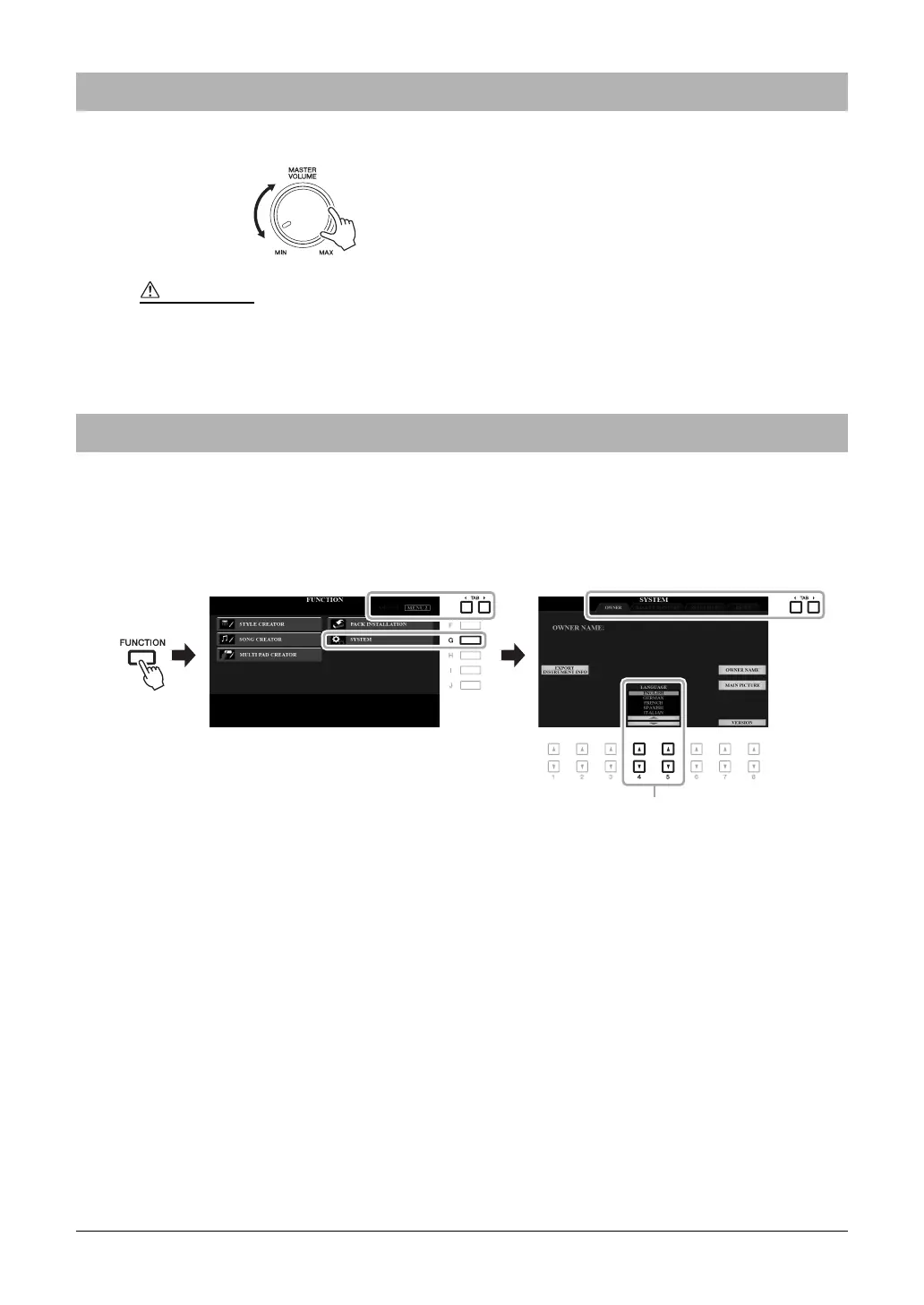
To adjust the volume of the entire keyboard sound, use the [MASTER VOLUME] dial while playing the keyboard.
This determines the language (English, German, French, Spanish and Italian are available) used in the display for
messages.
1 Call up the operation display.
[FUNCTION] TAB [F] MENU 2 [G] SYSTEM TAB [E] OWNER
2 Use the [4 ]/[5 ] buttons to select the desired language.
Press the [EXIT] button several times to exit from the display.
Adjusting the Master Volume
Do not use the instrument at high volume for long periods of time. Doing so may cause hearing loss.
Changing the Display Language



 To Next Page
 Loading...