PLAYBACK ➤ Playing back iPod music En 51
Playback of iPod content
Follow the procedure below to operate the iPod contents and start
playback.
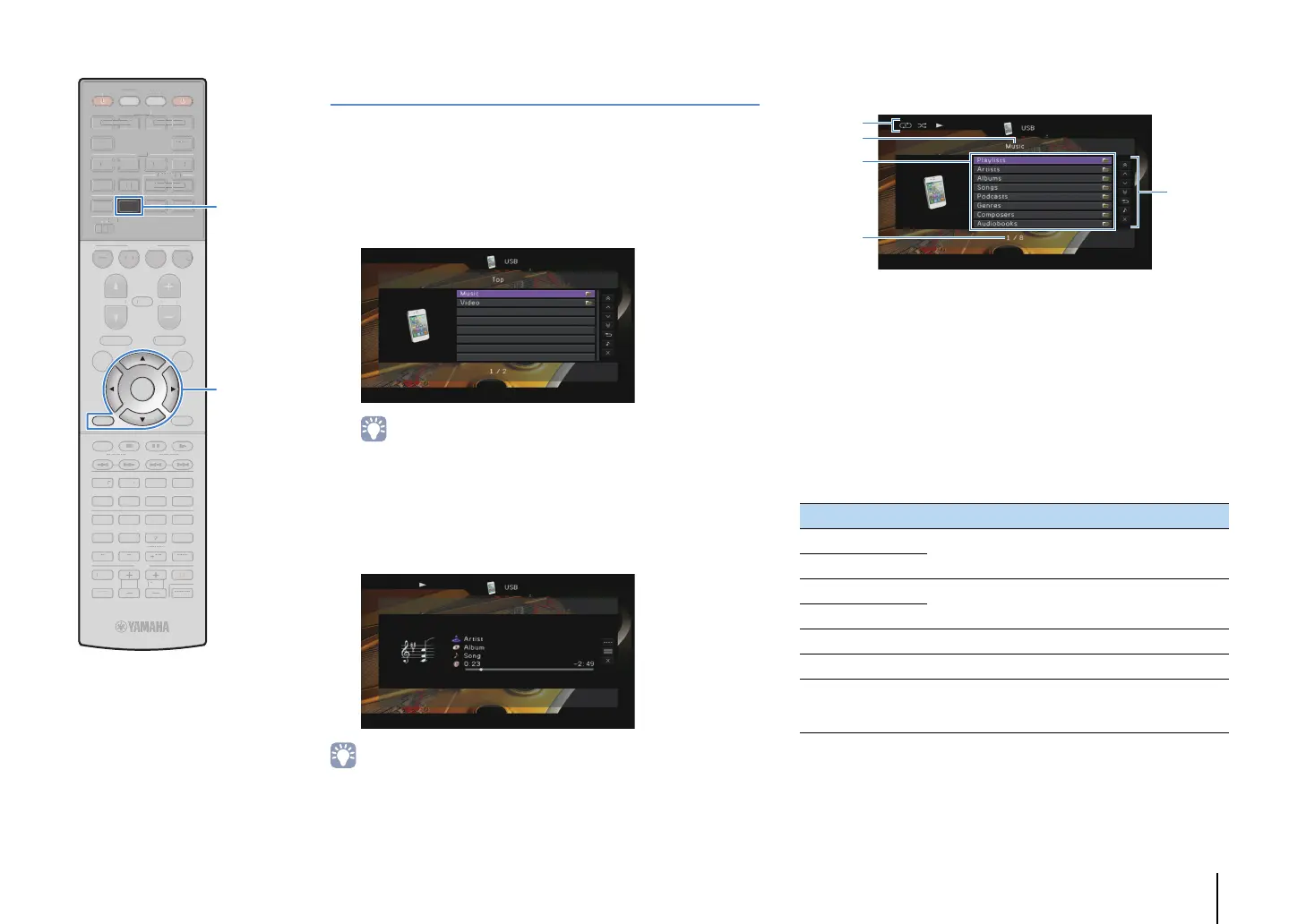
You can control the iPod with the menu displayed on the TV screen.
1
Press USB to select “USB” as the input source.
The browse screen is displayed on the TV.
• If playback is ongoing on your iPod, the playback screen is displayed.
2
Use the cursor keys to select an item and press
ENTER.
If a song is selected, playback starts and the playback
screen is displayed.
• To return to the previous screen, press RETURN.
• To operate the iPod manually to select content or control playback, switch to the
simple play mode (p.52).
■ Browse screen
1 Status indicators
Display the current repeat/shuffle settings (p.53) and playback status
(such as play/pause).
2 List name
3 Contents list
Displays the list of iPod content. Use the cursor keys to select an item and
press ENTER to confirm the selection.
4 Item number/total
5 Operation menu
Use the cursor keys to select an item and press ENTER to confirm the
selection.
Menu Function
1 Page Up
Moves to the previous/next page of the list.
1 Page Down
10 Pages Up
Moves 10 pages forward/backward.
10 Pages Down
Return Returns to the higher-level list.
Now Playing Moves to the playback screen.
Screen Off
Closes the screen display and shows the
background. Press one of the menu operation keys
to redisplay it.
TV VOL TV CH
TV
INPUT
MUTE
CODE SET
90
10
ENT
MEMORY
5
6 87
1234
MOVIE
SUR. DECODE
ENHANCER
TUNING PRESET
BAND
DISPLAYRETURN
ENTER
ON
SCREEN
OPTION
TOP MENU
MUTE
PROGRAM VOLUME
POP-UP/MENU
PURE DIRECT
STRAIGHT
INFO SLEEP
MUSIC
NET
TUNER
MAIN
ZONE 2
USB
MODE
SCENE
BD
DVD
TV
NET
RADIO
SOURCE
RECEIVER
HDMI
AV
AUDIO
5
65
V-AUX
1234
12
12
34
V
V
INPU
MUT
CODE SE
MEM
R
1 2
V
R. DE
DE
ENHAN
ER
UNING
RESE
I
PL
REE
PTI
P MEN
PR
RA
L
M
P
P-
P
MEN
PURE DIRE
TRAI
H
NF
LEEP
NE
M
DE
EN
DV
SOURC
RE
EIVE
D
-AU
1 2
1 2
ENTER
RETURN
USB
Menu operation keys
Cursor keys


 To Next Page
 Loading...