32 en | Operating instructions Video Recorder 630/650 Series
F.01U.169.663 | v2.0 | 2012.02 Installation and Operation manual Bosch Security Systems
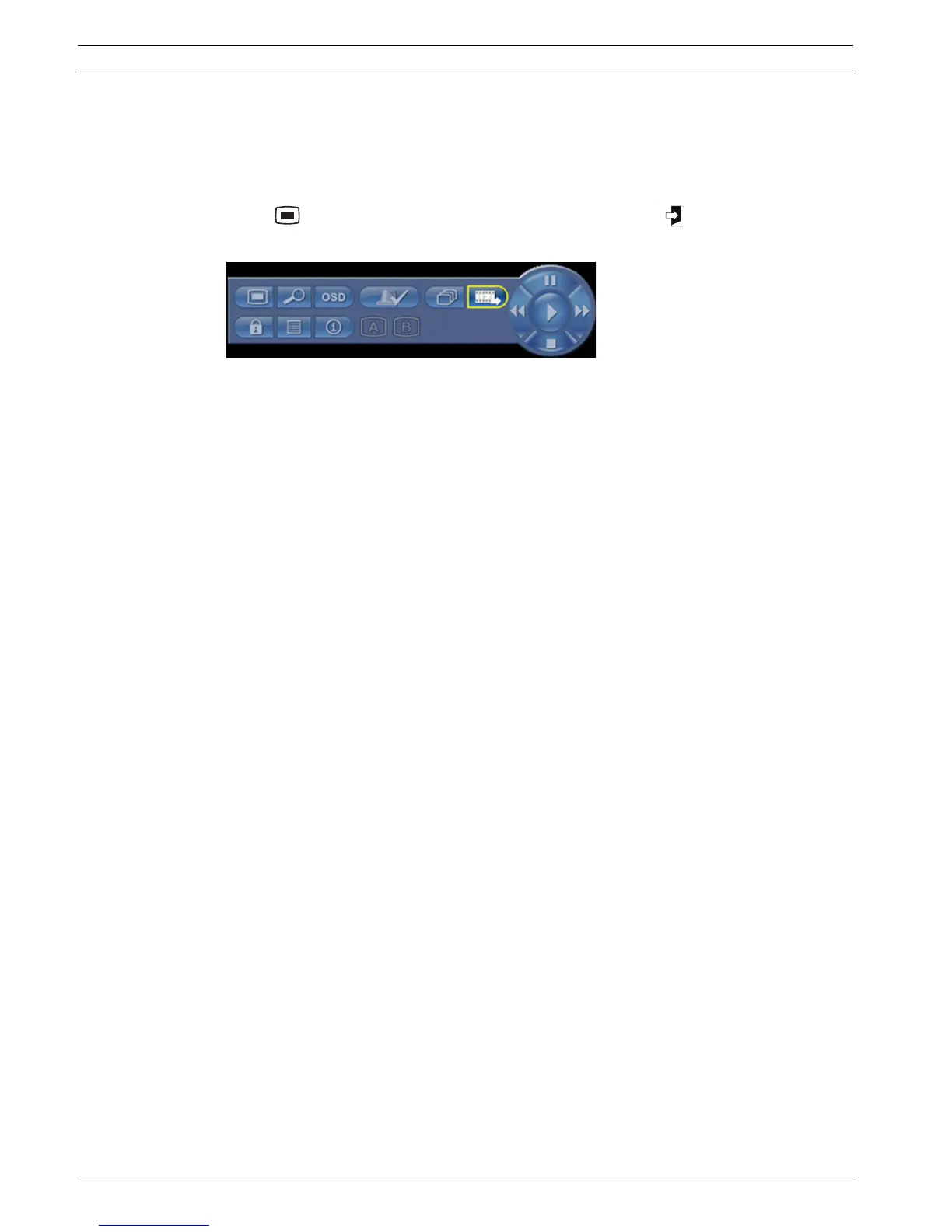
5.2 Mouse Controls
All functions controlled by the front panel can, alternatively, be accessed using the supplied
USB mouse. All main DVR functions are accessible via the System Control Bar. To display the
panel (on monitor A), move the mouse pointer to the bottom left of the screen or press the
menu key. To close the System Control Bar press the exit key, or the left mouse
button.
Figure 5.2 System Control Bar
The buttons and indicators of the System Control Bar work the same as the keys and
indicators on the front panel.
– The System Control Bar can also be controlled with the Arrow Keys and Enter Key.


 To Next Page
 Loading...