EDITING PATTERNS
Embroidery Edit
Embroidering E-63
E
2
Moving the Pattern
For details on moving the pattern, refer to “Moving
the Pattern” on page E-36.
Rotating the Pattern
For details on rotating the pattern, refer to
“Rotating the Pattern” on page E-38.
Changing the Size of the Pattern
For details on changing the size of the pattern,
refer to “Changing the Size of the Pattern” on
page E-37.
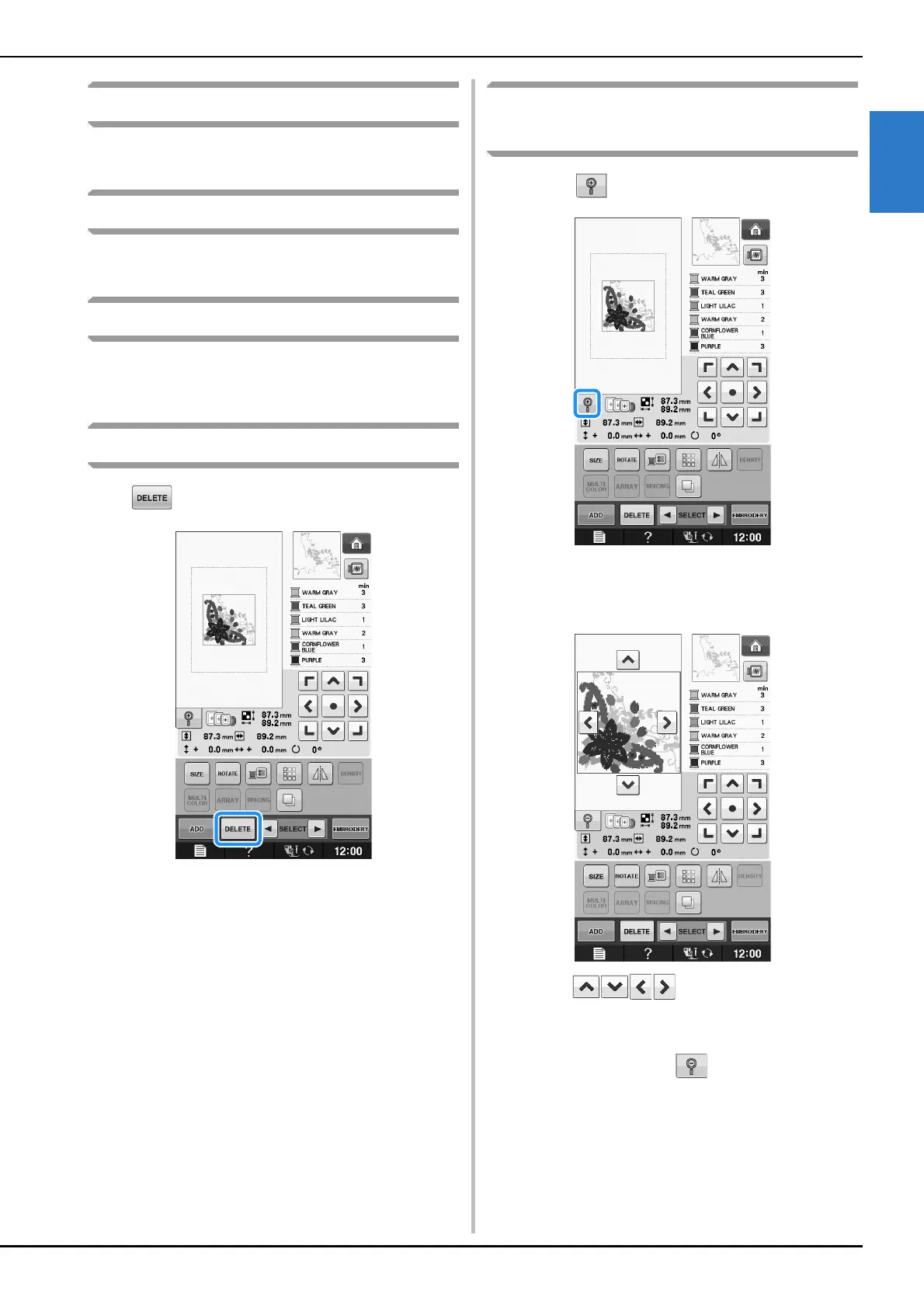
Deleting the Pattern
Press to delete the pattern from the screen.
Displaying Patterns in the Screen
Magnified by 200%
a
Press .
→ The pattern is magnified by 200%.
b
Check the displayed pattern.
→ Use to scroll through the display
in any direction.
c
To display the pattern back to the normal
size (100%), press .


 To Next Page
 Loading...