EDITING PATTERNS
E-64
Changing the Configuration of
Character Patterns
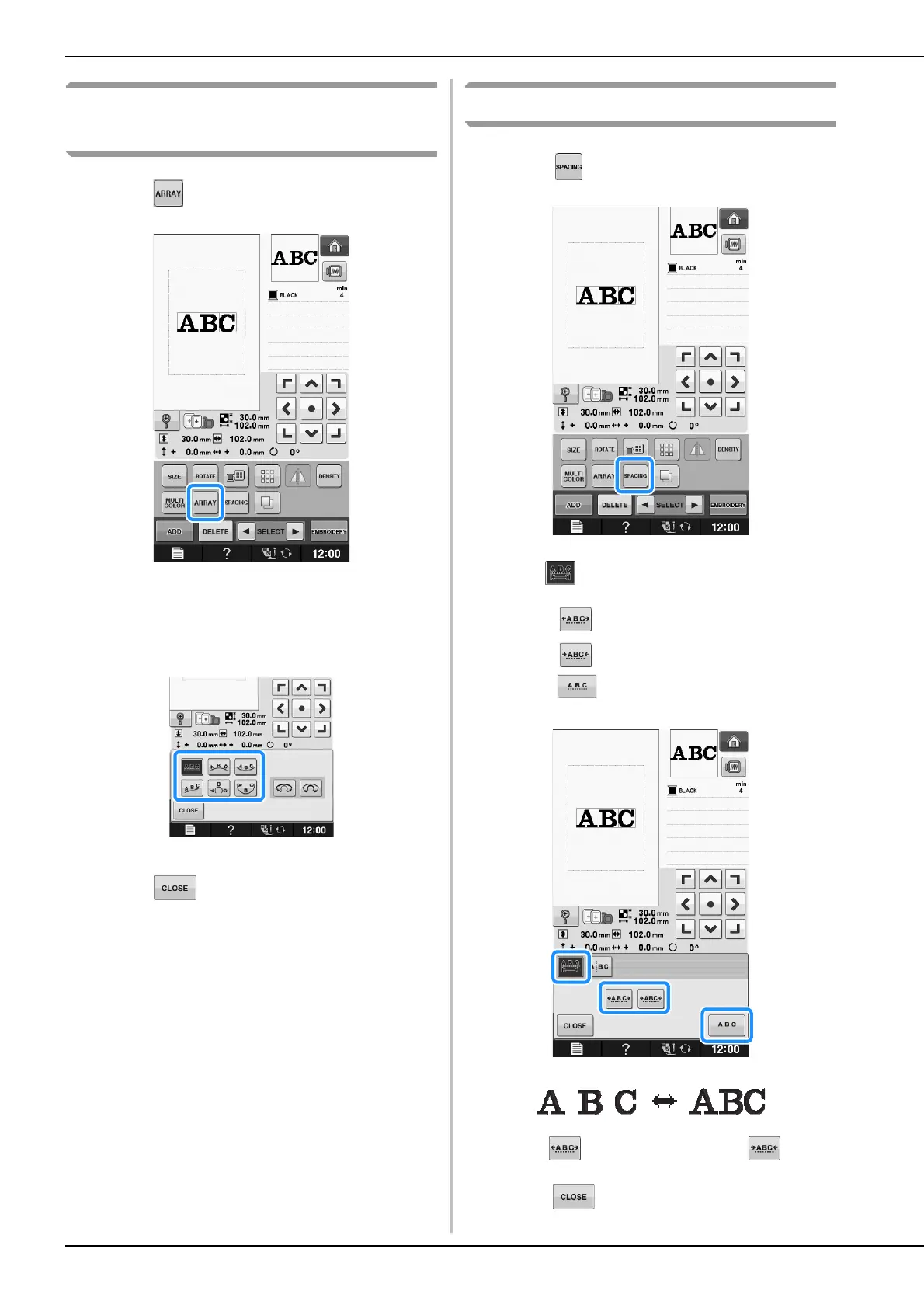
a
Press .
b
Press the key of the layout you want to
embroider.
* See page E-60 for more information about layout
types.
→ The display will show the selected layout.
c
Press .
Changing Character Spacing
a
Press .
b
Use to change the spacing.
* Press to increase the character spacing.
* Press to decrease the character spacing.
* Press to return the pattern to its original
appearance.
c
Press to return to the original screen.


 To Next Page
 Loading...