EDITING PATTERNS
E-76
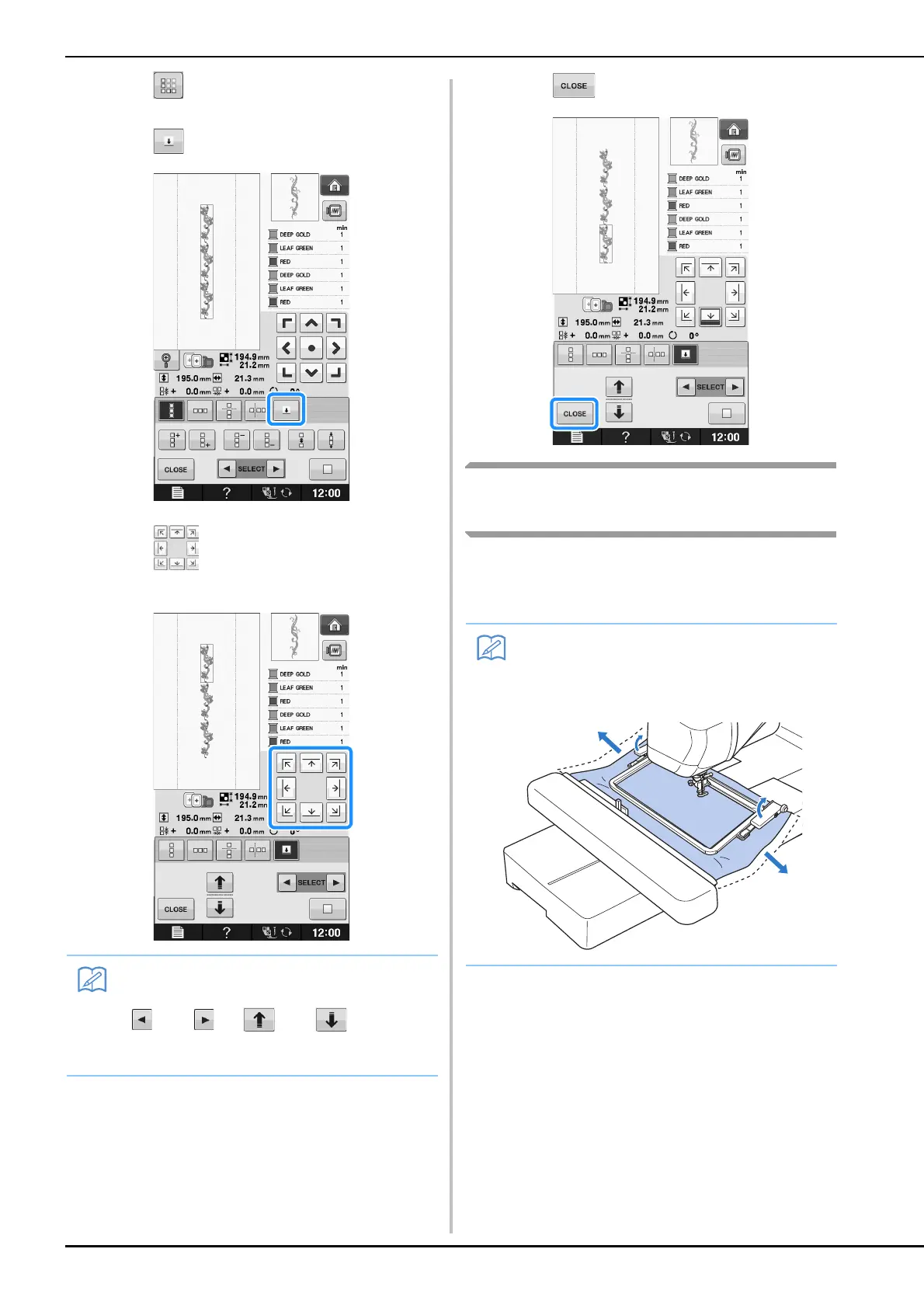
a
Press .
b
Press .
c
Press to select the thread mark to be
sewn.
d
Press .
Embroidering the Pattern
Repeatedly
After creating the repeated pattern, rehoop the
embroidery frame and keep sewing for the next
pattern.
• When there are two or more elements, use
and or and to select a
pattern that you want to assign a thread
mark(s) to.
• The optional border frame allows you to
easily rehoop the fabric without removing
the embroidery frame from the machine.


 To Next Page
 Loading...