EMBROIDERING SETTINGS ——————————————————————————————————————————————————
90
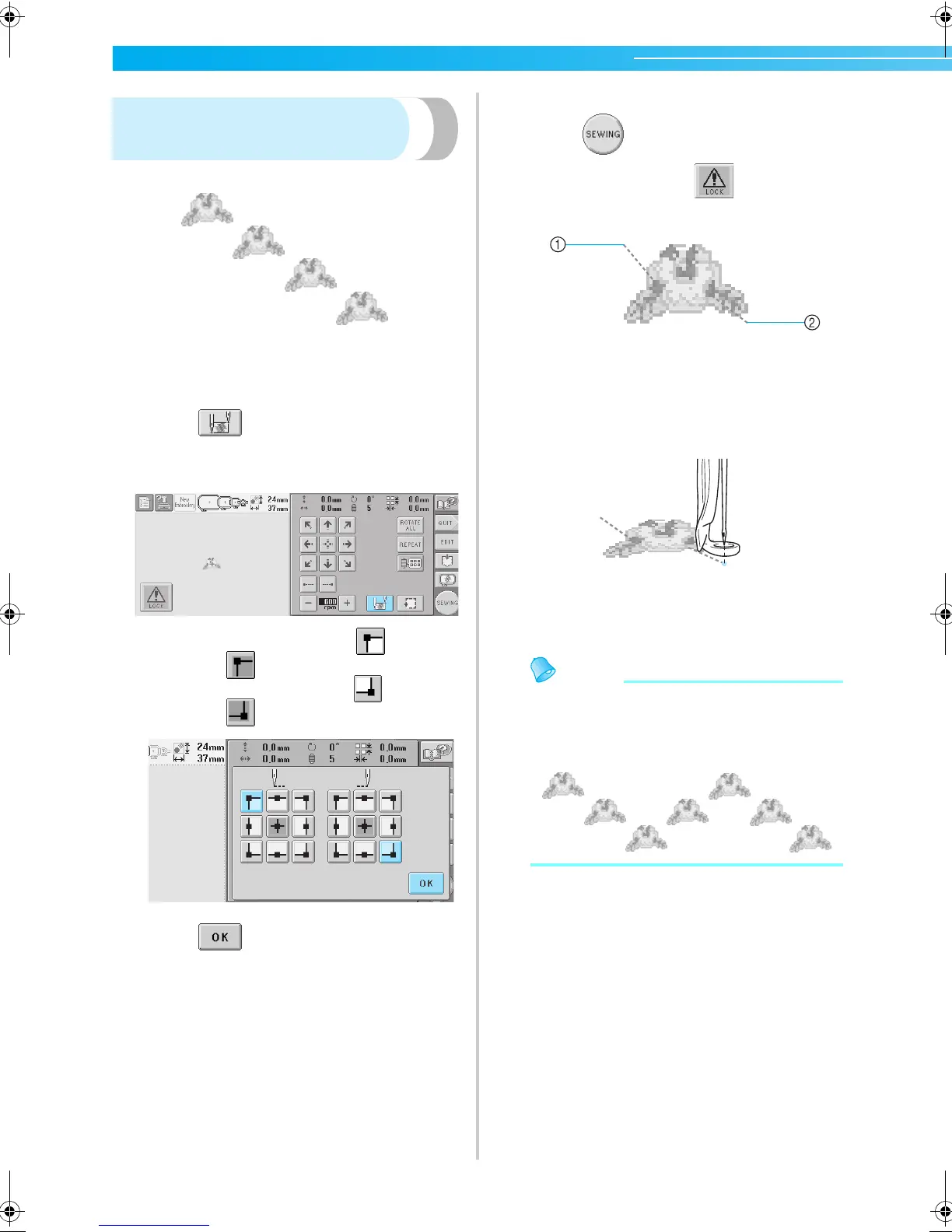
Repeatedly sewing a pattern
along a diagonal
Example
1
Specify the upper-left corner as the starting
position and the lower-right corner as the
ending position.
Touch
in the embroidering settings
screen to display the starting/ending position
settings screen.
For the starting position, touch
so that it
changes to .
For the ending position, touch so that it
changes to .
Touch to close the starting/ending
position settings screen.
2
Sew the first embroidery pattern.
Touch to display the embroidering
screen, and then touch and press the
start/stop button.
1 Starting position
2 Ending position
3
After embroidering is finished, the machine
stops at the lower-left corner of the pattern.
4
Repeat steps 2 and 3 three times.
Memo
● If the starting position and ending position
settings are changed, instead of sewing the
patterns in a fixed direction, various pattern
designs are possible.
Sapphire_brother.book Page 90 Thursday, November 17, 2005 3:00 PM


 To Next Page
 Loading...













