Previewing the Image
27
2
6. Previewing the Image
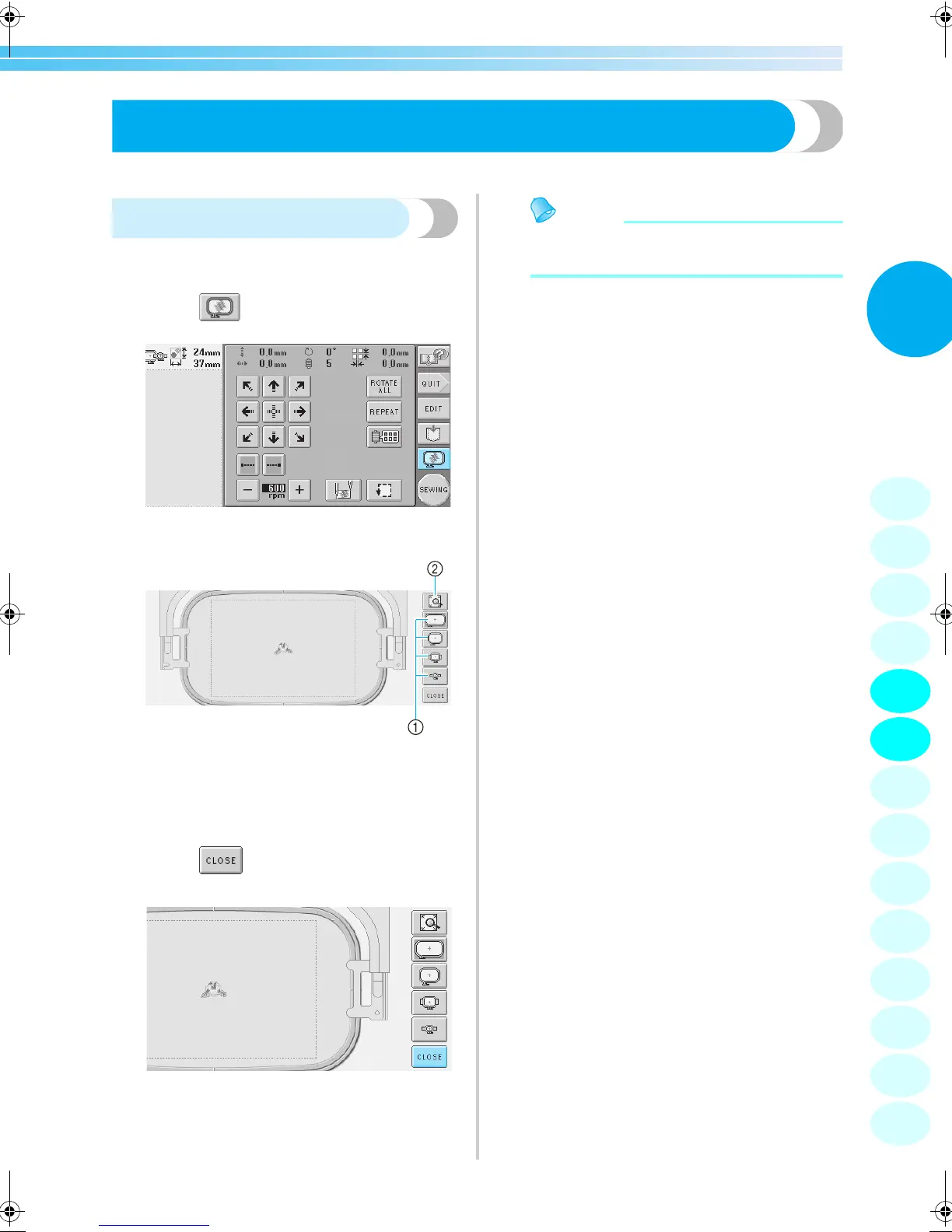
You can view an image of the completed pattern within the embroidery frame.
Checking a preview image
Display the preview image to check that the
embroidery will be sewn as desired.
1
Touch .
X The preview image is displayed.
1 Touch these keys to display the pattern in the
various sizes of embroidery frames. The
embroidery frames that appear in white on gray
keys can be selected.
2 Touch this key to display an enlarged view of the
pattern.
2
Touch to return to the previous
screen.
Memo
● The preview image can also be displayed
from the pattern editing screen.
1
2
3
4
5
6
7
8
9
10
11
12
13
14
Sapphire_brother.book Page 27 Thursday, November 17, 2005 2:48 PM


 To Next Page
 Loading...













