33
Reviewing and Deleting the Last Scene
Recorded
Even in mode you can play back
the last scene recorded in order to
check it. You can also delete the scene
while reviewing it.
1 If the joystick guide does not
appear on screen, press to
display it.
If does not appear on the joystick
guide, repeatedly push the joystick
( ) toward [NEXT] to display it.
2 Push the joystick ( ) toward .
The camcorder plays back the last
scene (but without sound) and
returns to record pause mode.
Deleting a Scene After Recording It
After recording a scene:
1 Review the scene as described in
the previous section.
2 While reviewing the scene, select
( ) the icon and press .
3 Select ( ) [YES] and press .
NOTES
• Avoid any other operations on the
camcorder while the scene is being
deleted.
• You will not be able to delete the last
scene if after the scene was recorded
you changed the operating mode or
turned the camcorder off.
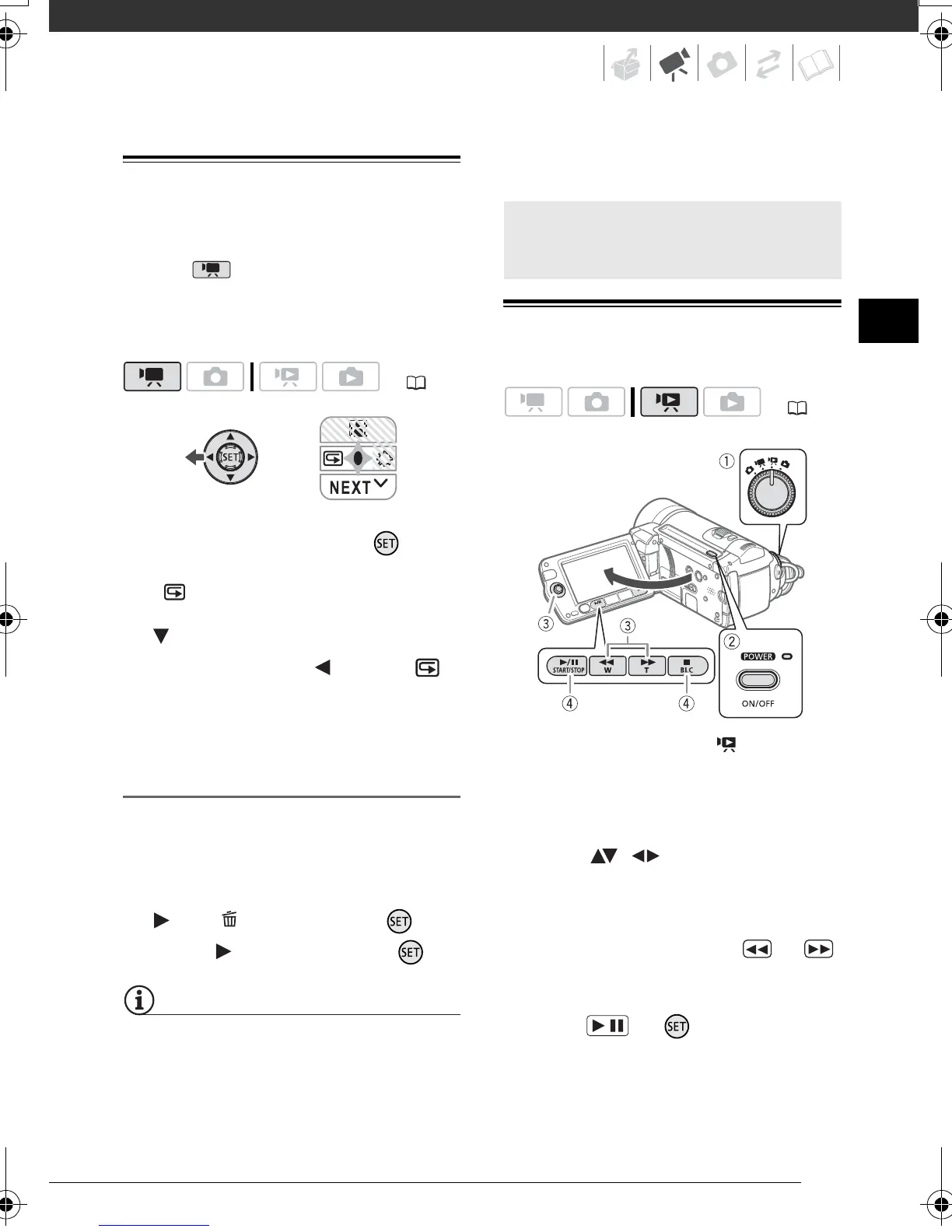
Playing Back the Video
1 Set the mode dial to .
2 Turn on the camcorder.
The scene index screen appears
after a few seconds.
3 Move ( , ) the selection
frame to the scene you want to
play back.
When you have recorded a large
number of scenes, press or
to move between index screen
pages.
4 Press or to begin the
playback.
• Playback will start from the scene
selected and continue until the end
of the last scene recorded.
( 22)
Basic Playback
( 22)
/
D128_PAL_E.book Page 33 Thursday, March 6, 2008 7:53 PM



 To Next Page
 Loading...