49
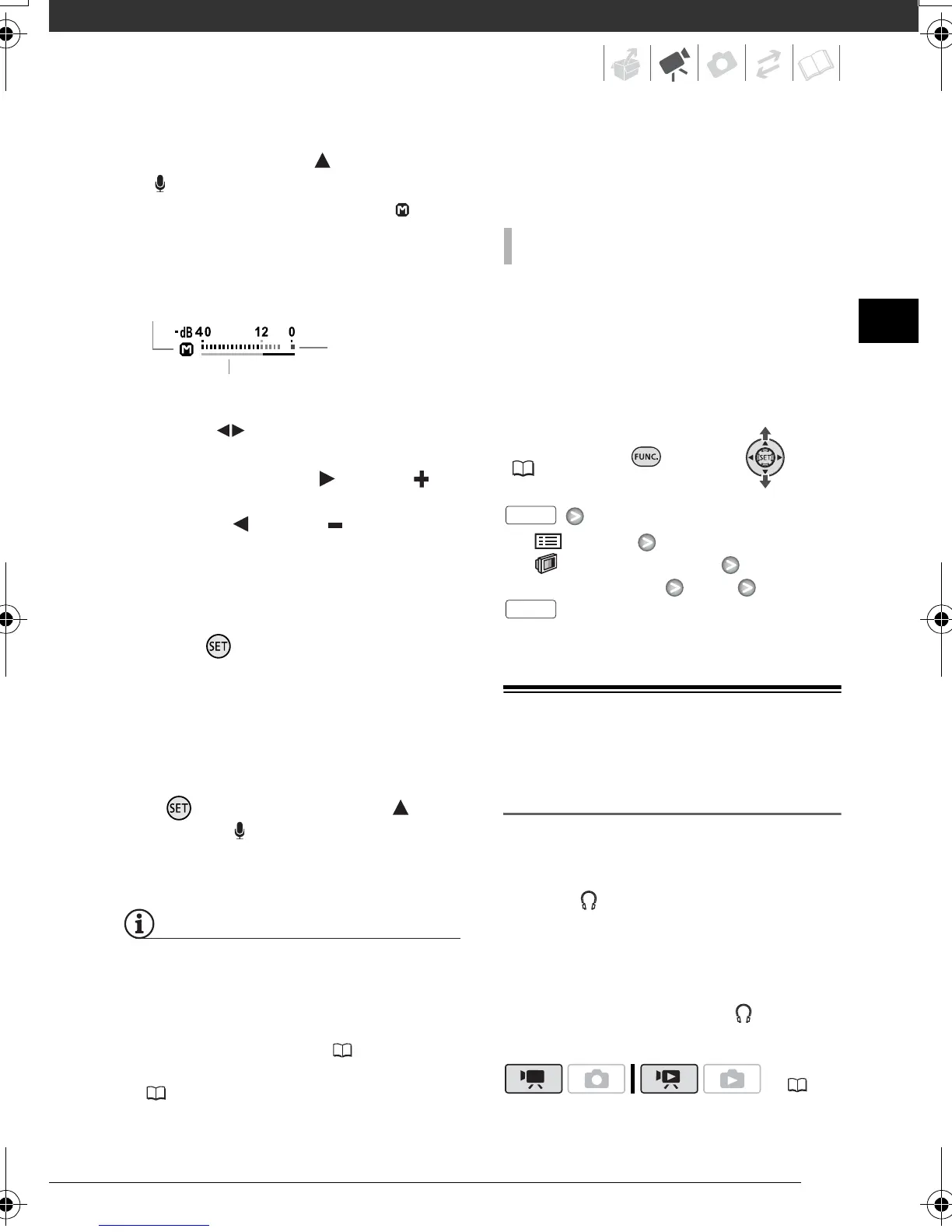
2 Push the joystick ( ) toward
[MIC].
The manual adjustment icon will
appear to the left of the audio level
indicator and the manual adjustment
bar (green) will appear below it.
3 Adjust ( ) the audio level as
necessary.
• Push the joystick ( ) toward to
raise the audio recording level or
push it ( ) toward to lower it.
• As a guideline, adjust the audio
recording level so that the audio
level meter will go to the right of
the -12 dB mark only occasionally.
4 Press to save the setting and
hide the joystick guide.
• The audio level selected will be
locked and the audio level
adjustment bar will disappear from
the indicator.
• During manual adjustment, press
and push the joystick ( )
toward [ MIC] to return the
camcorder to automatic audio
level.
NOTES
• When the 0 dB mark turns red, the
sound may be distorted.
• If the audio level is too high and the
sound gets distorted, activate the
microphone attenuator ( 87).
• We recommend using headphones
( 49) to check the sound level while
adjusting the audio recording level or
when the microphone attenuator is
activated.
Usually, the audio level indicator will be
displayed only after the manual
adjustment of the audio recording level.
You can choose to display it also when
the audio level is adjusted
automatically.
FUNC.
( 24)
[ MENU]
[ DISPLAY SETUP]
[AUDIO LEVEL] [ON]
Using Headphones or an External
Microphone
Using Headphones
Use headphones for playback or to
check the audio level while recording.
The headphones are connected to the
AV OUT/ terminal, which is used for
both the headphones and the audio/
video output. Before connecting the
headphones, follow the procedure
below to change the function of the
terminal from AV output to
(headphones) output.
Audio level indicator
Audio level adjustment bar
Manual audio level adjustment
TO DISPLAY THE AUDIO LEVEL METER
( 22)
FUNC.
FUNC.
D128_PAL_E.book Page 49 Thursday, March 6, 2008 7:53 PM


 To Next Page
 Loading...