50
Maintenance Information
1
Return Setting
Main Menu 2/2
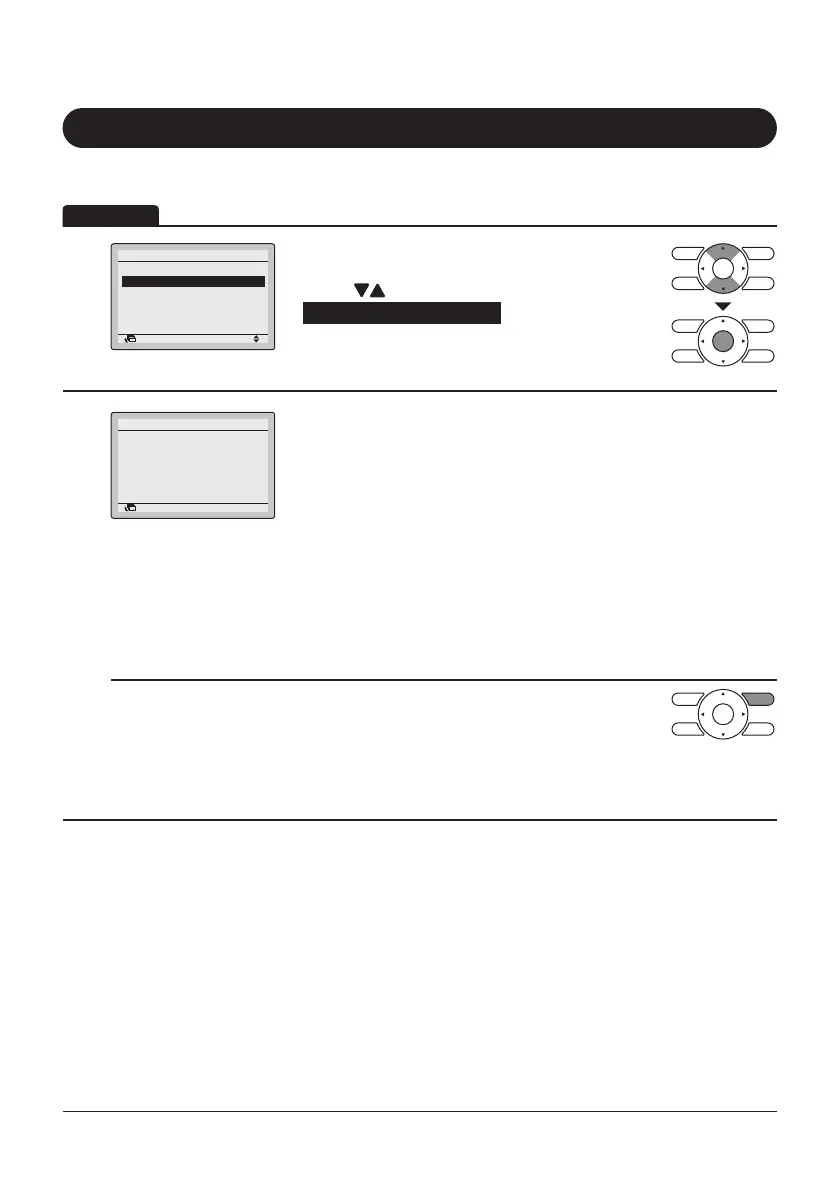
• Display the Main Menu screen.
(Refer to page25.)
• Press “
” buttons to select
Maintenance Information and press Menu/Enter
button.
2
Return
Maintenance Information
Contact Info
0123
–
456
–
7890
Indoor Model
–––
/000
Outdoor Model
–––
/000
• The phone number for the contact is displayed at
the top of the screen.
(If it has not yet registered by installer, it will not
displayed.)
• The model name of the indoor and outdoor units of
your product will be displayed on the bottom of the
screen.
(For some models the product code may be
displayed instead of model name.)
* The model name will not displayed if the Printed
Circuit Board of the air conditioner has been
replaced.
* The Malfunction (Error) code history may also be
displayed.
If it is not blinking, the unit is working properly.
The Malfunction (Error) code history is no longer
displayed if you press ON/OFF button for more
than 4seconds.
Operation
Display Method for Maintenance Information
Filter Auto Clean
Maintenance Information
Configuration
Current Settings
Clock & Calendar
Language


 To Next Page
 Loading...










