55
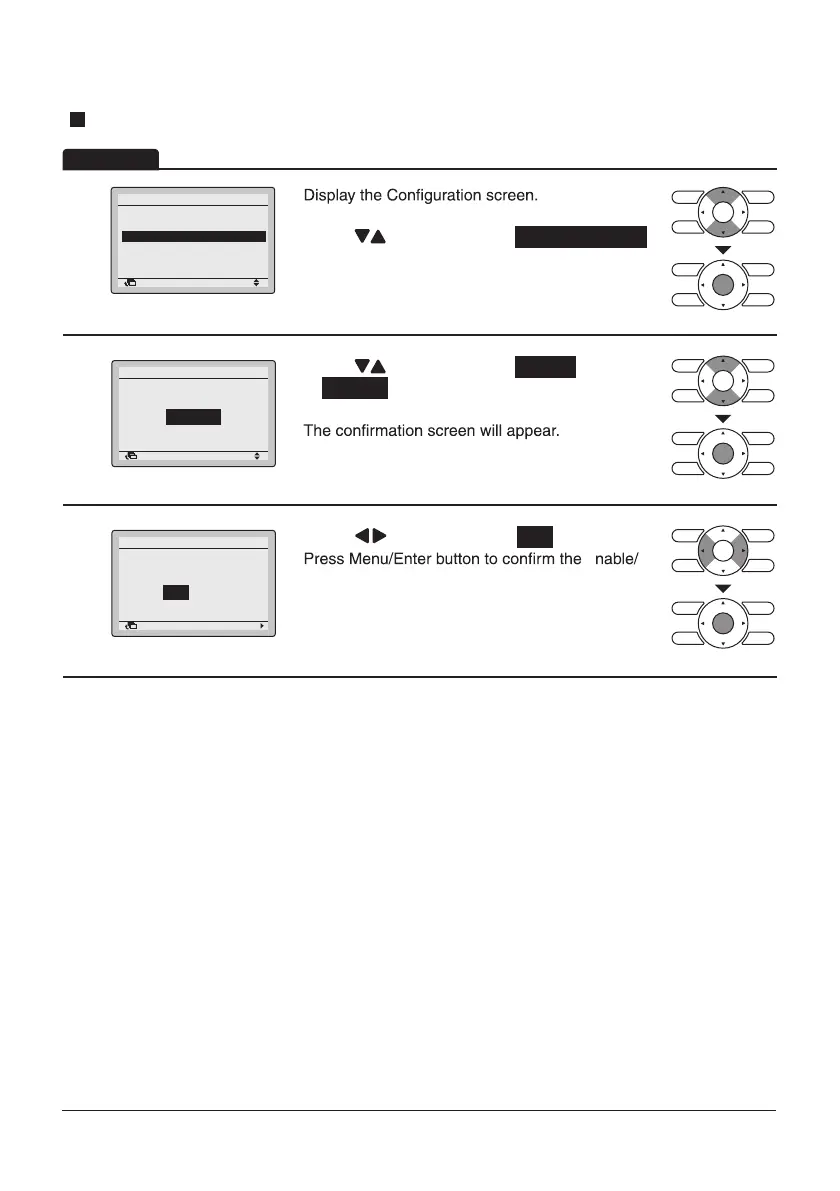
Draft Prevention
1
Return Setting
Configuration
Display
Quiet Operation Mode
Auto Airflow
Contrast
Adjustment
Draft Prevention
•
• Press “ ” buttons to select Draft Prevention .
Press Menu/Enter button to display the Draft
Prevention screen.
2
Return Setting
Enable/Disable
Draft Prevention
Disable
• Press “ ” buttons to select Enable
or Disable .
Press Menu/Enter button after selecting the item.
3
Return Setting
Save the settings?
Draft Prevention
Yes No
• Press “ ” buttons to select Yes .
Disable setting for the Draft Prevention and return
to the Basic screen.
Operation
E
(Refer to page 51.)


 To Next Page
 Loading...










