Display 97
Display-Panel Brackets
Removing the Display-Panel Brackets
1
Follow the instructions in "Before You Begin" on page 9.
2
Remove the display assembly (see "Removing the Display Assembly" on
page 89).
3
Remove the display bezel (see "Removing the Display Bezel" on page 92).
4
Remove the display panel (see "Removing the Display Panel" on page 94).
5
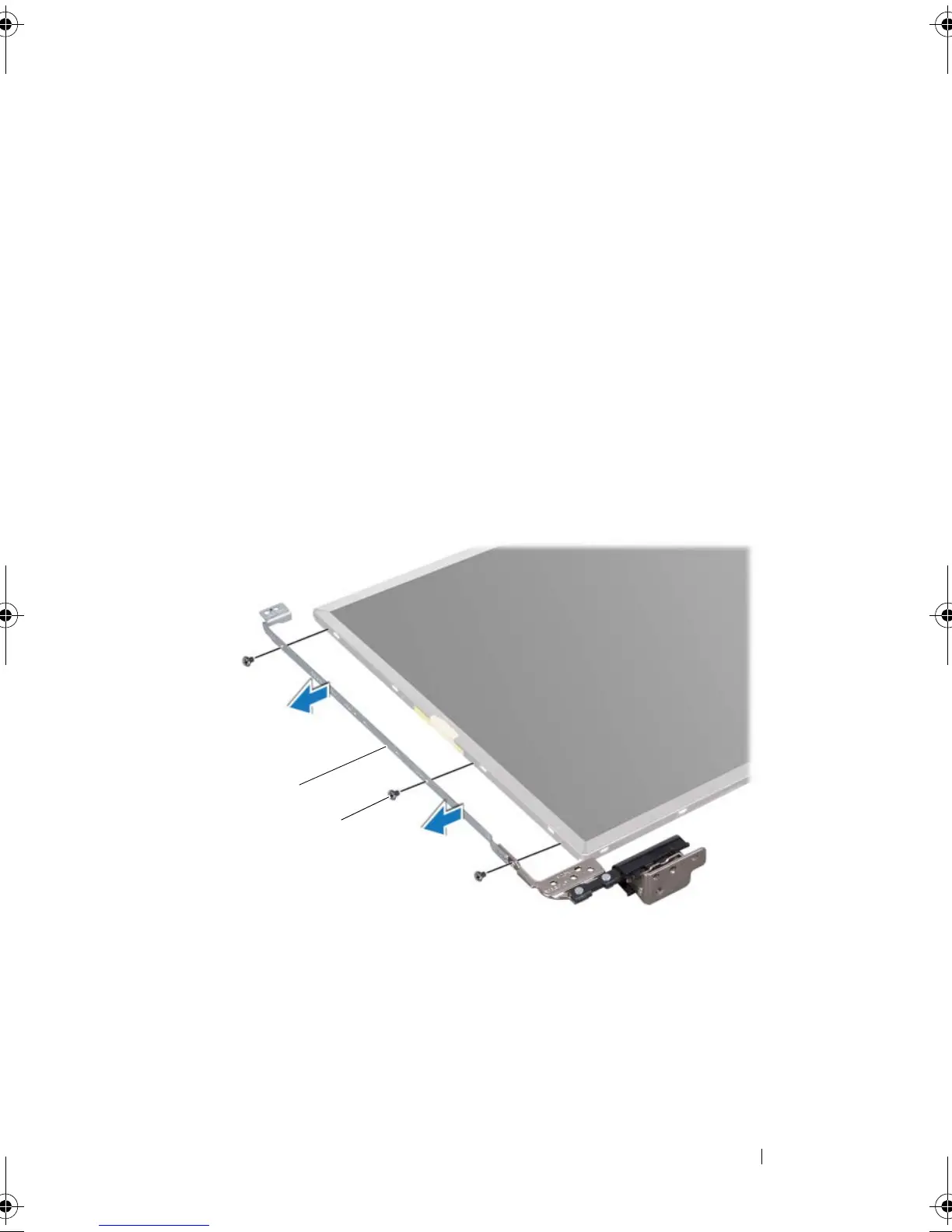
Remove the six screws (three on each side) that secure the display-panel
brackets to the display panel.
6
Remove the display-panel brackets off the display panel.
Replacing the Display-Panel Brackets
1
Follow the instructions in "Before You Begin" on page 9.
1 display-panel brackets (2) 2 screws (6)
book.book Page 97 Friday, April 13, 2012 2:02 PM



 To Next Page
 Loading...