45
To “Conguring the settings” (P.8)
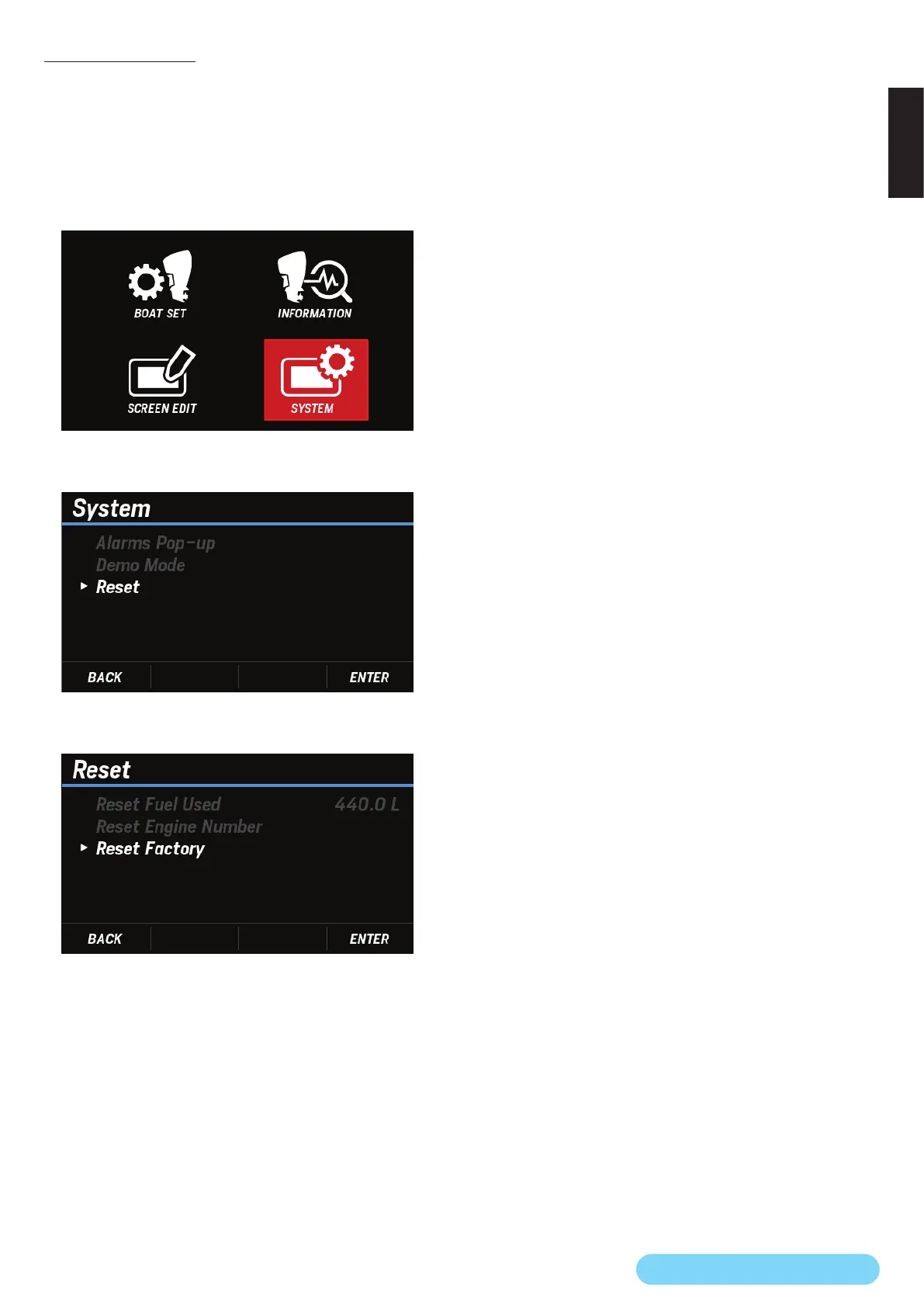
(29) Reset Factory
You can reset the contents set in INFORMATION, SCREEN
EDIT, and SYSTEM on the MENU screen to the factory settings.
* You cannot reset the contents set in BOAT SET on the MENU
screen.
1. Use the [
∧
] or [
∨
] button to select SYSTEM and press the
[ENTER] button.
2. Use the [
∧
] or [
∨
] button to select Reset and press the
[ENTER] button.
3. Use the [
∧
] or [
∨
] button to select Reset Factory and press
the [ENTER] button.
4. Use the [
∧
] or [
∨
] button to select YES and press the
[ENTER] button.
• When the reset to the factory settings is completed, the
DONE pop-up window appears.
After the pop-up window appears, the Number of Engine
screen automatically appears. (P.2)


 To Next Page
 Loading...