106
ENGLISH
TO UPDATE SOFTWARE
Uses software update to check and obtain the latest version.
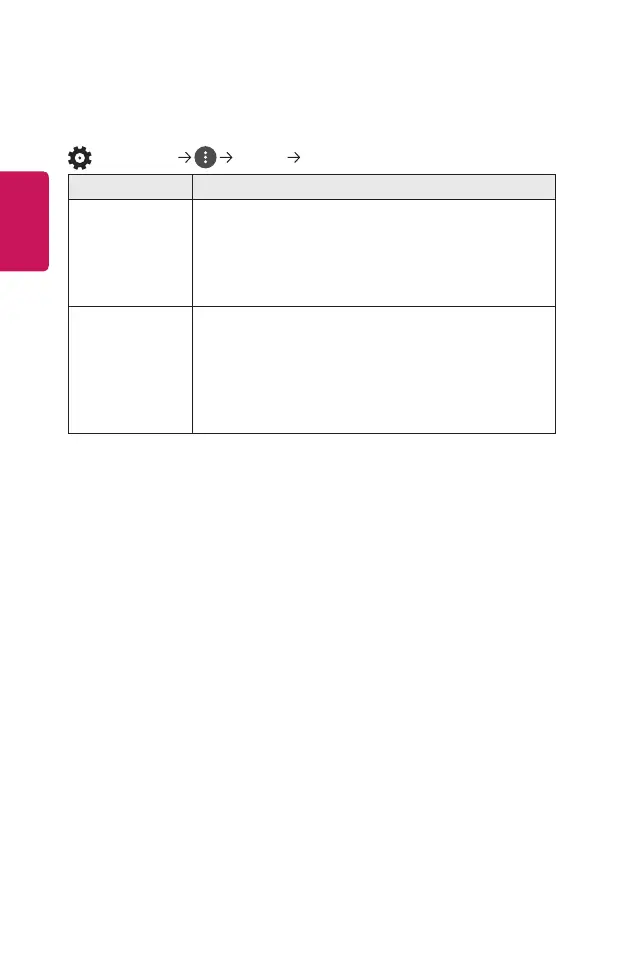
(Q. Settings) General About This Projector
Menu Description
CHECK FOR
UPDATES
When checking for the latest update version, you can
perform updates only if an update le of a later version is
available.
The projector automatically checks your software version
but, if necessary, you can perform a manual check.
Allow Automatic
Updates
If Allow Automatic Updates is selected, when an update
is available, the update automatically starts without
prompting a question.
If Allow Automatic Updates is not selected, when an
update is available, the update will start after prompting
a question.
• The configurable items differ depending upon country.
• The latest version can be obtained via digital broadcast signals or internet
connections.
• Changing the channel while downloading the software via digital broadcast
signal interrupts the download process. Returning to the initial channel allows
downloading to resume.
• If software is not updated, certain functions may not work properly.


 To Next Page
 Loading...











