41
ENGLISH
Connecting with a
USB-C Cable
Computer/Laptop and
Phone Connections
• (INPUT) All Inputs
USB-C
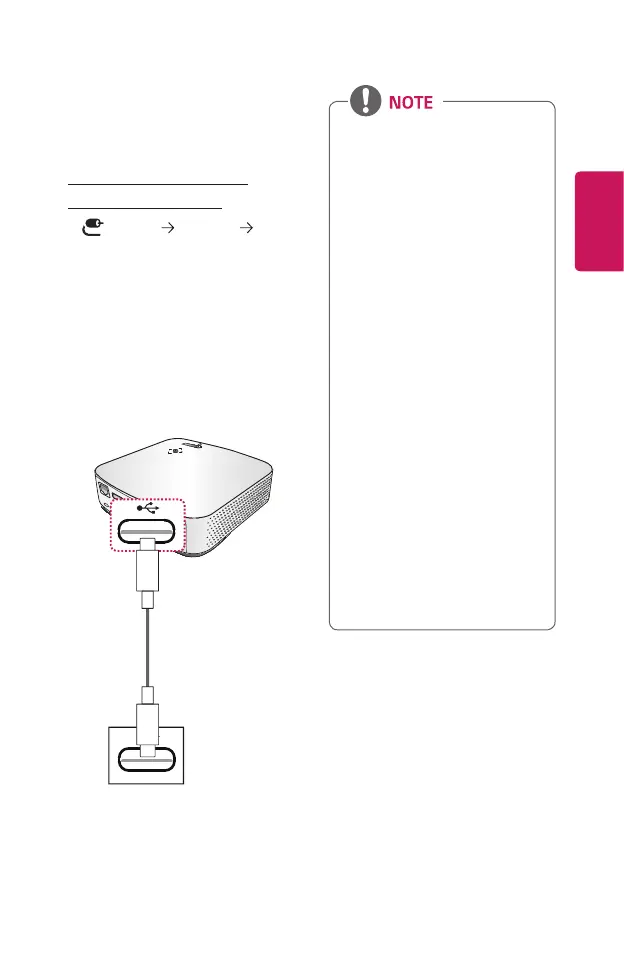
Use a USB-C cable to connect to
the projector’s USB-C port and the
USB-C output port on your PC/laptop
or phone. To nd out whether your
device is USB-C-certied, please
contact your device manufacturer.
Both video and audio are output at
the same time.
Optional Extras
PC/laptop/phone
• PD (Power Delivery) and DP
Alternate Mode are supported.
- A USB-C gender changer
may be necessary depending
on the cable used if using
PD (Power Delivery).
• The function may not
operate properly depending
on the connected device’s
specifications, USB-C cable
status, or surroundings.
• PD functions may charge/
discharge the projector or
not operate depending on the
specifications of the connected
devices.
• The charging feature may
function differently with some
devices (MacBook Pros, etc.)
when connected.
• Check the resolution of the
connected devices before
using the DP Alternate Mode
function.


 To Next Page
 Loading...











