Chapter 1. How to Use the MilTouch
™
Control
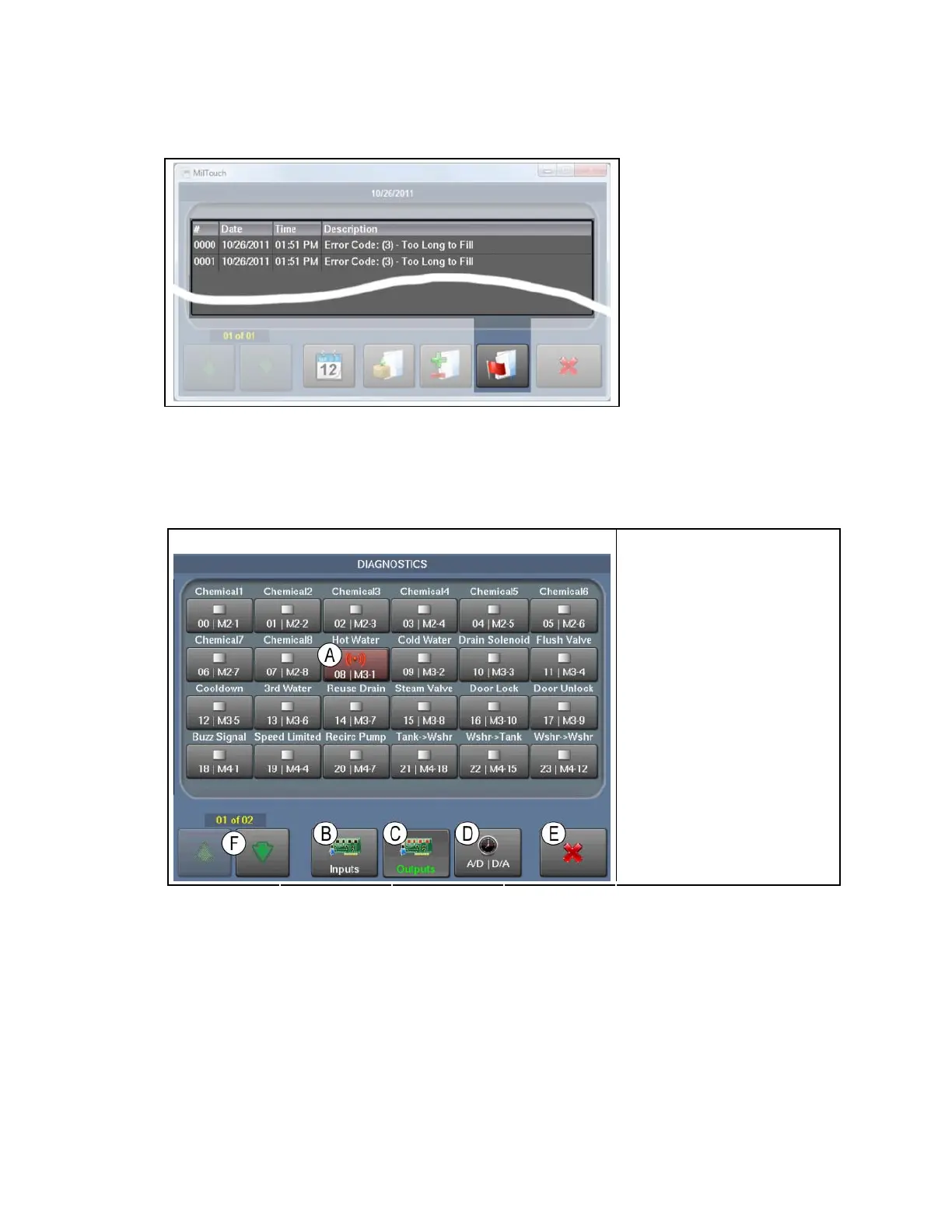
Figure 12: Errors Display
1.1.1.6.
The Inputs and Outputs Displays—Touch any output button to actuate the output.
Touch the button again to tu t OFF. All outputs turn OF
Display.
Figure 13: The Outputs Display
Typical View
rn the outpu F when you exit the Outputs
Legend
.
A. D
C.
D. Analog and Digital
Selector button
E. Exit button (return to
Home)
F. Scroll Pages button
Output ACTUATE
B. Inputs Selector button
Outputs Selector button
PELLERIN MILNOR CORPORATION
20


 To Next Page
 Loading...