Overview of the Front Panel
VOL • CH •
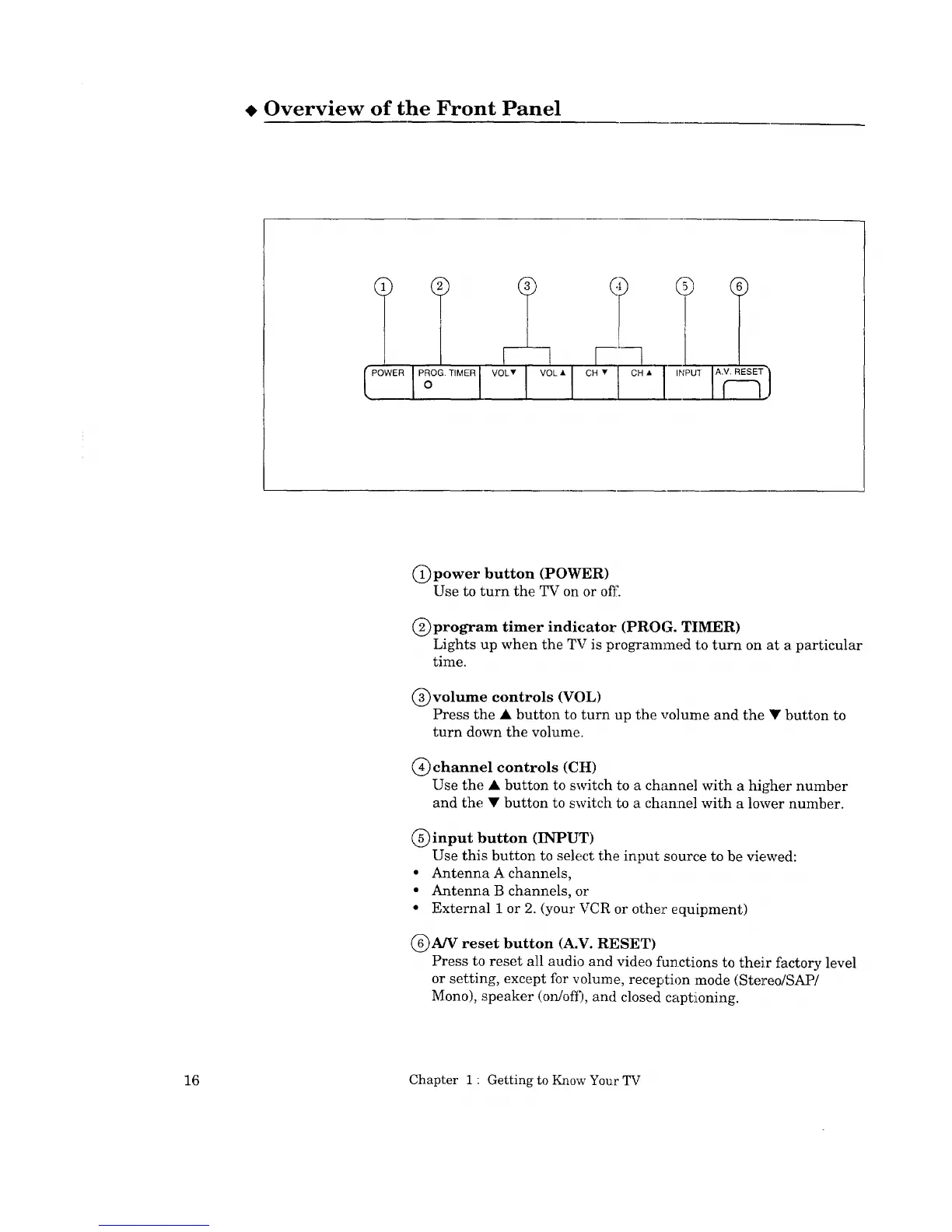
(_power button (POWER)
Use to turn the TV on or off.
C)program timer indicator (PROG. TIMER)
Lights up when the TV is programmed t:oturn on at a particular
time.
(_volume controls (VOL)
Press the • button to turn up the volume and the • button to
turn down the volume.
(_) channel controls (CH)
Use the • button to switch to a channel with a higher number
and the • button to switch to a chan:nel with a lower number.
(_ input button (INPUT)
Use this button to select the input source to be viewed:
• Antenna A channels,
• Antenna B channels, or
• External 1 or 2. (your VCR or other equipment)
(_)A/V reset button (A.V. RESET)
Press to reset all audio and video functions to their factory level
or setting, except for volume, recel:,tion :mode (Stel."eo/SAP/
Mono), speaker (on/ofi), and closed capt!ioning.
16 Chapter 1 " Getting to Know Your TV



 To Next Page
 Loading...