2 - 12 MC55A0/MC55N0 Enterprise Digital Assistant User Guide
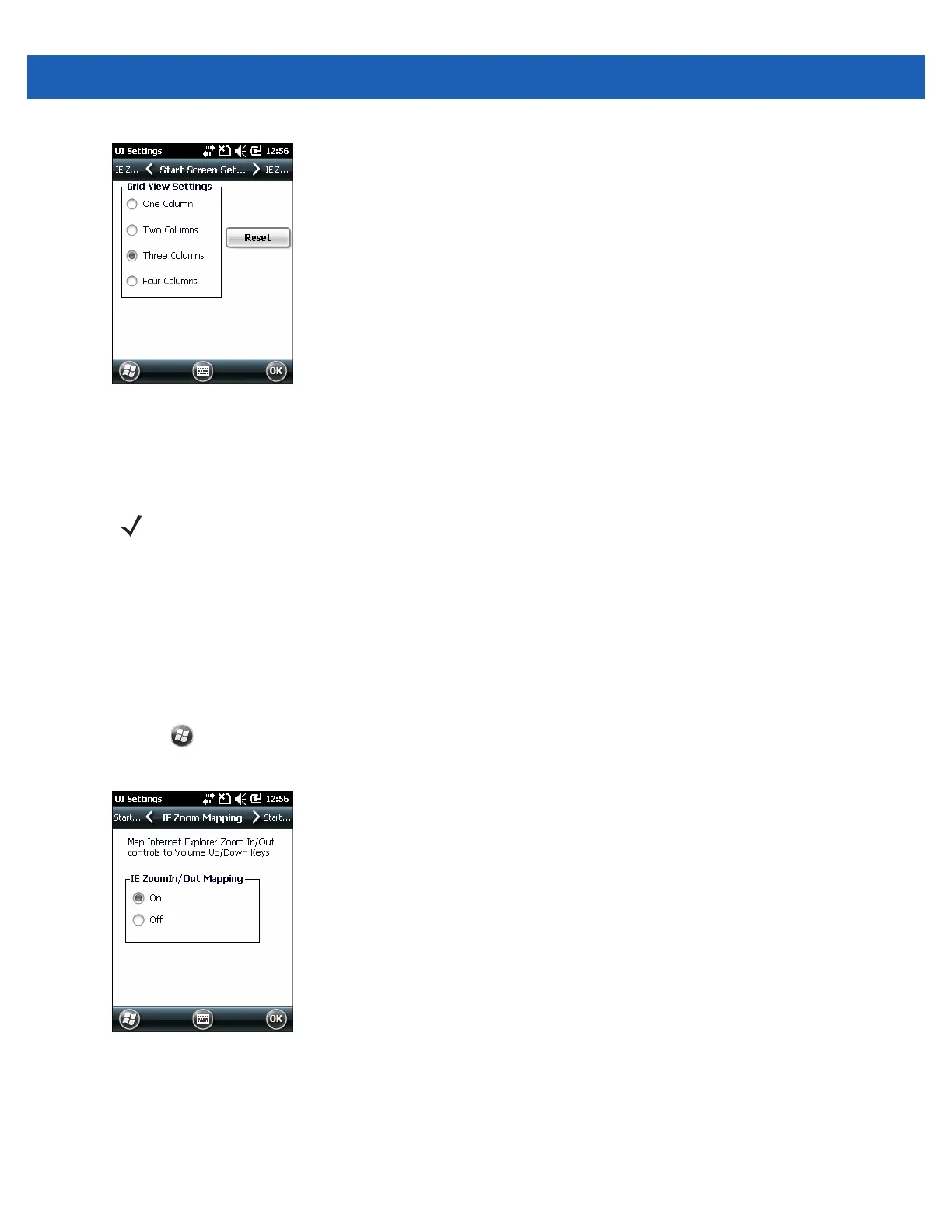
Figure 2-10
Start Screen Settings Tab
3. Select the number of columns.
4. Tap OK.
5. Tap OK.
6. Preform a warm boot.
IE Zoom Mapping
When Internet Explorer opens, the volume keys on the side of the MC55 are used to zoom in and out. To
disable IE zoom mapping:
1. Tap > Settings > > System > UI Settings.
2. Tap the IE Zoom Mapping tab.
Figure 2-11
IE Zoom Mapping Tab
3. Select Off.
4. Tap OK.
5. Tap OK to turn off mapping.
NOTE Tap Reset to return to the default 3 Column setting.



 To Next Page
 Loading...