EasyManua.ls Logo

Nikon Coolpix L20 - Viewing Multiple Pictures: Thumbnail Playback; Calendar Display

Nikon Coolpix L20
165 pages
Print Icon
To Next Page IconTo Next Page
To Previous Page IconTo Previous Page
Loading...
Viewing Multiple
Pictures:
Thumbnail Playback
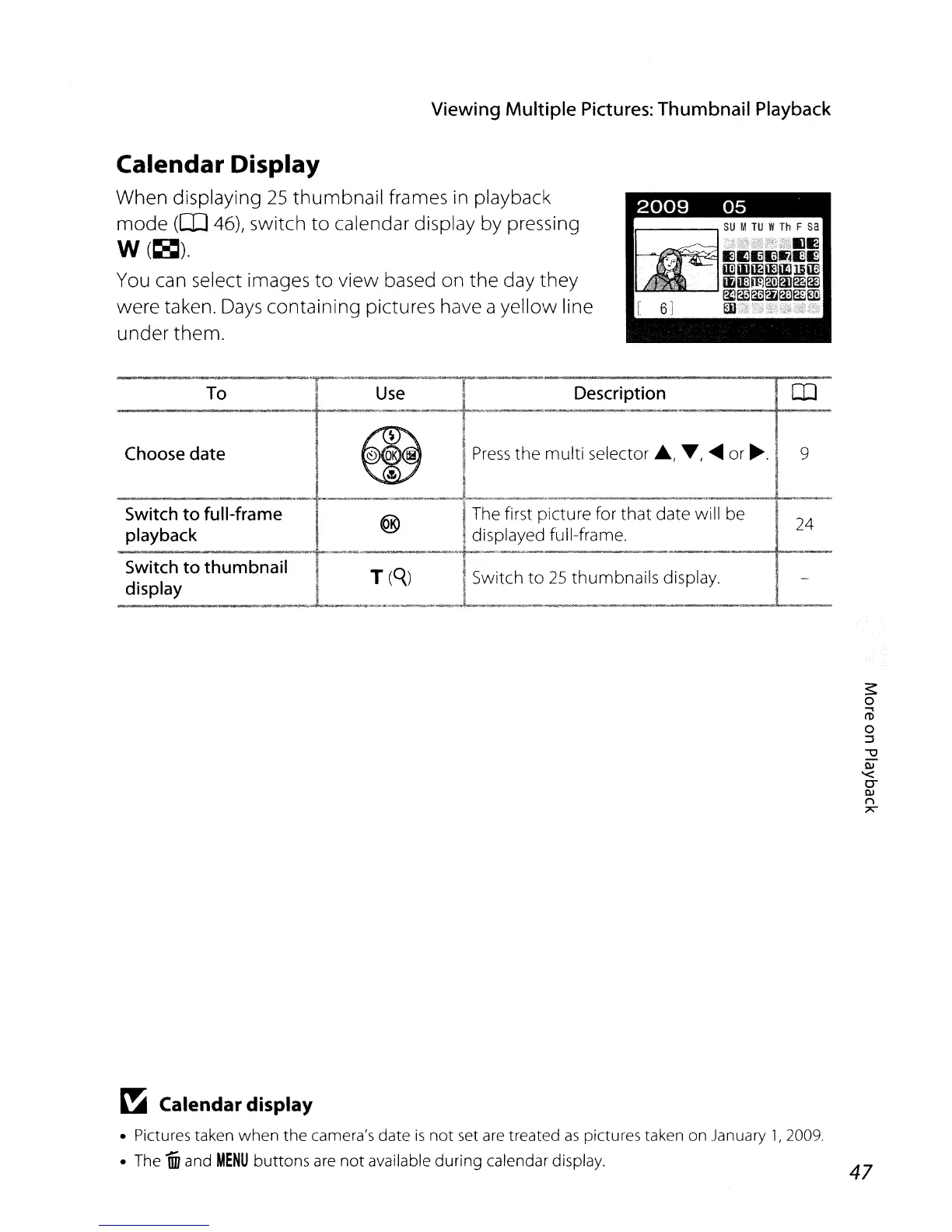
Calendar Display
When displaying
25
thumbnail
frames
in
playback
mode
(CD
46), switch
to
calendar display by pressing
W(~).
You
can select images
to
view based on the day
they
were taken.
Days
containing pictures have a yellow line
under them.
2009
05
_.
To
Use
Description
-
~~.
Choose
date
~
Press
the
multi selector
.,
T,
.....
or~.
9
.'"
Switch
to full-frame
®
The first picture for
that
date will be
24
playback
displayed full-frame.
Switch
to
thumbnail
T(Q.)
Switch
to
25
thumbnails display.
display
-
-
~
Calendar display
Pictures taken
when
the
camera's
date
is
not
set are treated
as
pictures taken on January 1,2009.
The
Wi
and
MENU
buttons
are
not
available
during
calendar display.
47

Table of Contents

Other manuals for Nikon Coolpix L20

Related product manuals