49
Shooting in Scene Mode
Shooting Suited for the Scene
Taking Pictures for a Panorama
The camera focuses on the subject in the center of the frame. Use a tripod for best
results.
Set Vibration reduction (A 125) in the setup menu (A 116) to Off when
using a tripod to stabilize the camera during shooting.
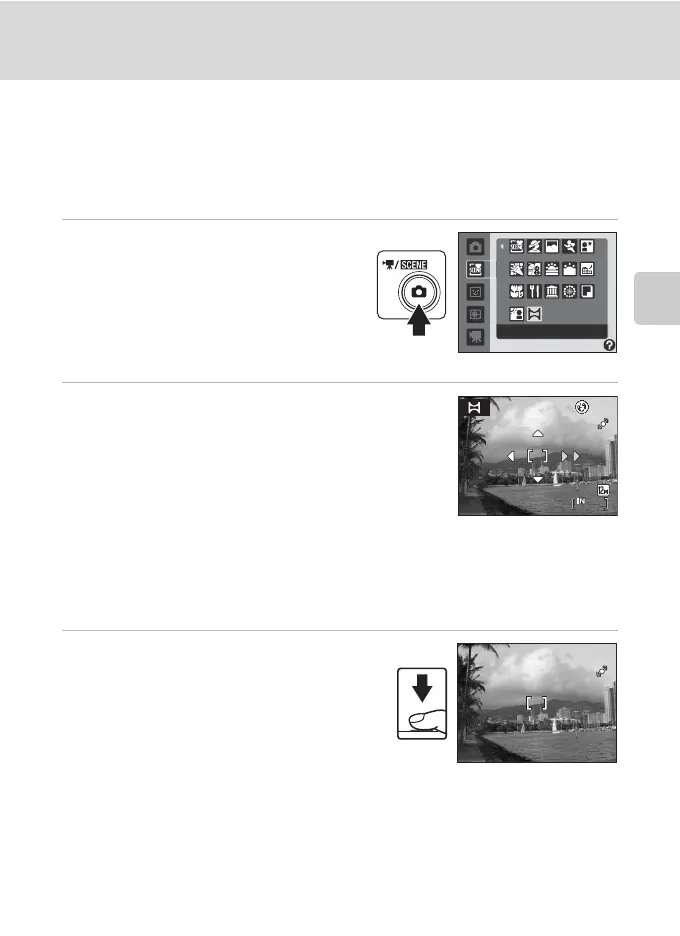
1 Display the shooting-mode
selection menu by pressing the A
button in shooting mode, and use
the rotary multi selector to choose
p Panorama assist (A 37).
• The I icon is displayed to show the
direction in which pictures will be joined.
2 Use the rotary multi selector to choose the
direction and press the k button.
• Decide how pictures will be joined together in the
completed panorama; right (I), left (J), up (K) or
down (L).
• The yellow panorama direction icon (II) will move to
the direction pressed and press the k button to
choose the direction. A white panorama direction icon (I) will be displayed in the
chosen direction.
• Apply flash mode (A 32), self-timer (A 34), macro mode (A 35) and exposure
compensation (A 36) settings with this step, if necessary.
• Press the k button again to choose a different direction.
3 Take the first picture.
• The picture taken will be displayed in 1/3 of
the monitor.
Panorama assist
13
13
F2.7
F2.7
1/250
1/250


 To Next Page
 Loading...












