Component Connection
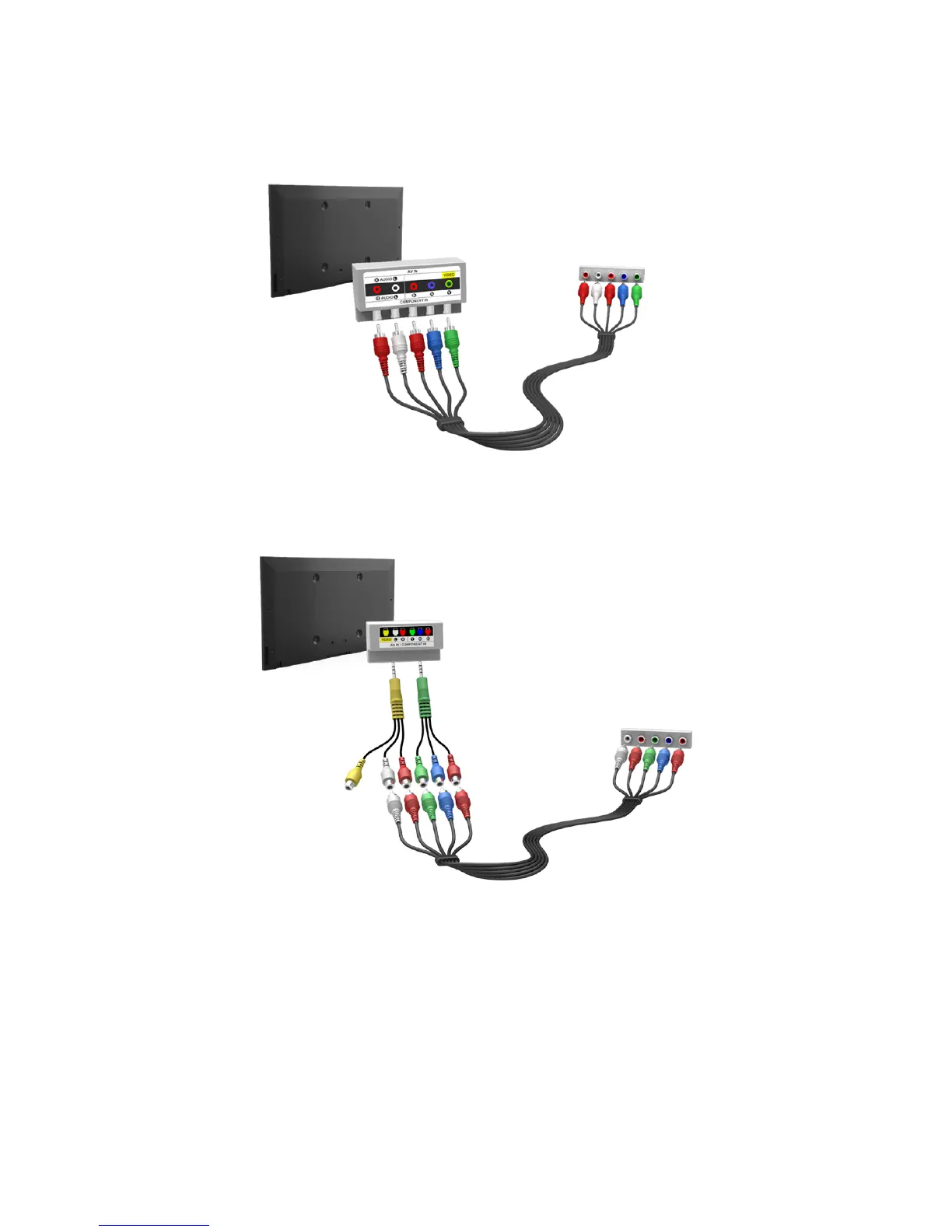
For the LED 7000 series models, connect the TV’s component video and audio input connectors to the
external device’s component video and audio output connectors using a component cable, so that the
connectors of the same colour connect to each other, as shown in the figure.
For the LED, PDP 8000 series models, connect a component cable to the provided two jack-to-RCA
extension cables, so that the connectors of the same colour connect to each other. Plug the two jacks
into the TV’s component video and audio input connectors, and plug the five connectors on the other
end into the external device’s component video and audio output connectors, as shown in the figure.


 To Next Page
 Loading...