Operation Manual 6. LCD Menu Operation
21
Data display or parameter configuration.
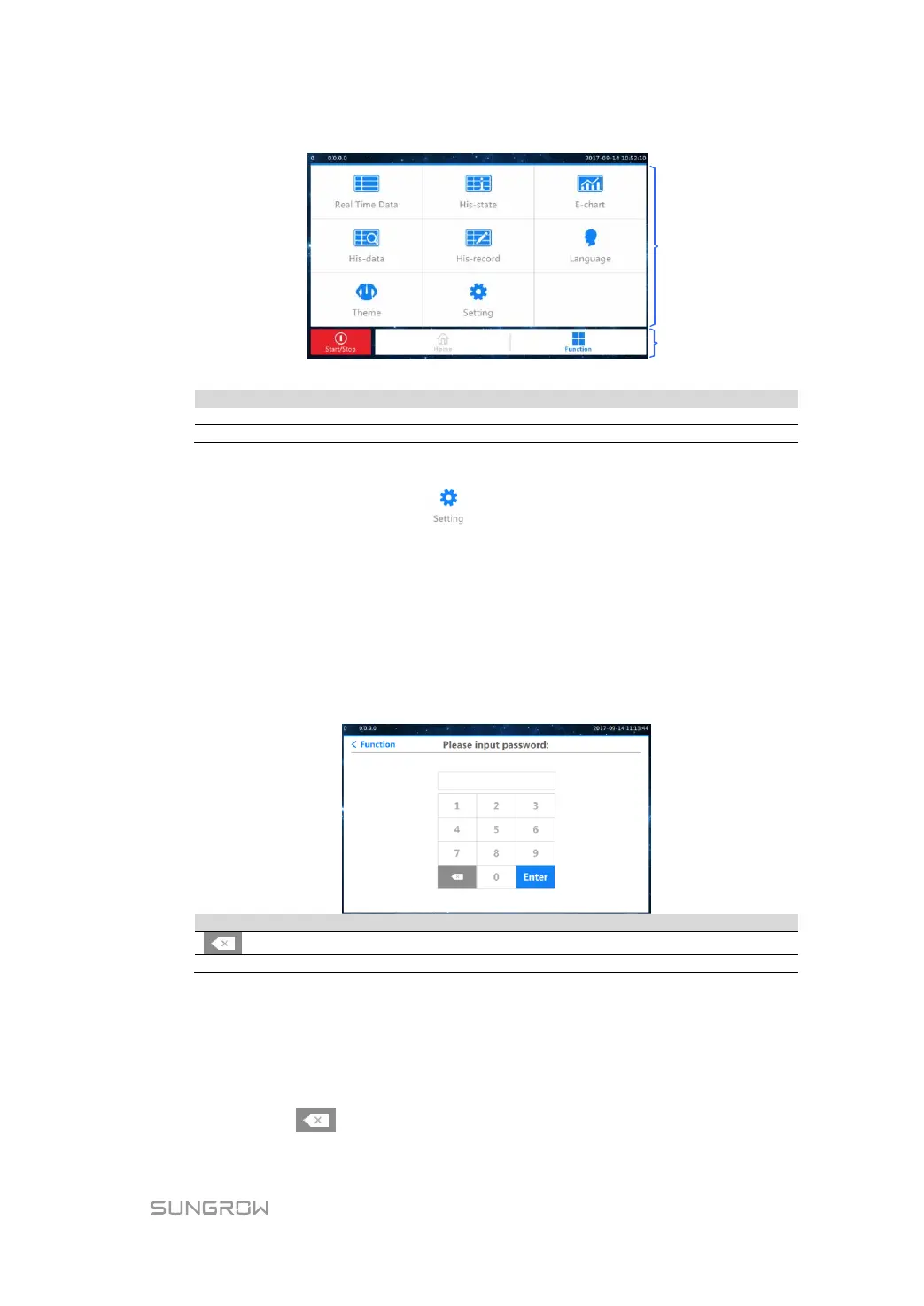
Three icons in the main screen
For convenience, the operations on the menus are referred to as the menu name with
quotation marks. For example, the menu will be referred to as "Set-parameter".
6.4 Entering Password
The inverter is protected by password. The user can enter into the "Set-parameter"
sub-menu only after entering the correct password. Proceed as follows to enter the
password:
Step 1 Tap "Function" from the default menu.
Step 2 Tap "Setting" and the password entering window pops out.
backspace key, delete the digit input
confirm the password input
If the input password is 1111, the user can enter into the normal parameter setting page
and set the system parameter, run parameter, protect parameter and communication
parameter.
Step 3 Press "Enter" to confirm the password input.
Step 4 If the password entered is wrong, the password entering interface will sway from side to
side. Click the icon and enter the correct password.


 To Next Page
 Loading...