Indicator light in the remote control vehicle key
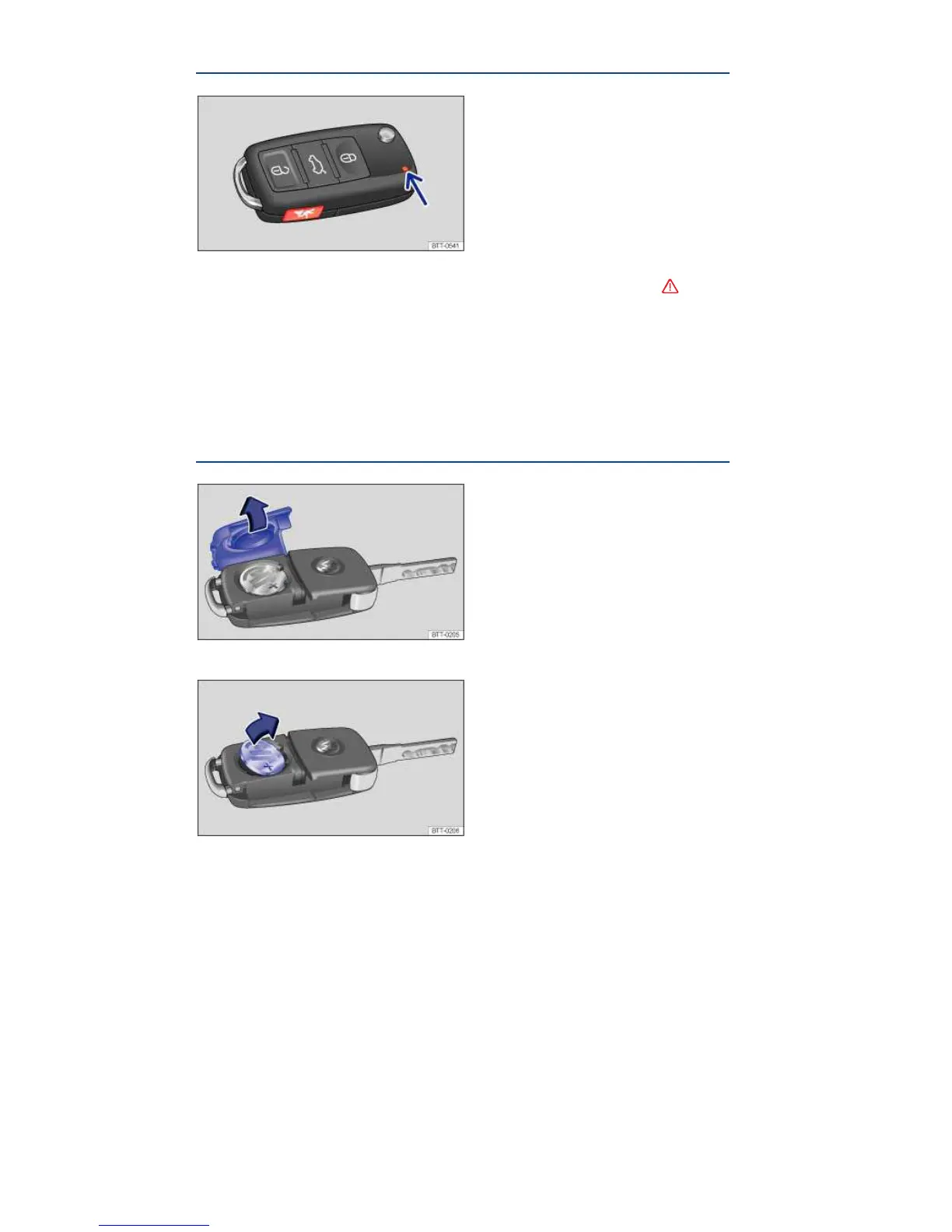
Fig. 20 Indicator light in the remote control vehicle key.
¤ Please first read and note the introductory information and heed the WARNINGS
If a button in the remote control vehicle key is pressed briefly, the indicator light ⇒ fig. 20 (arrow) will
flash once briefly. If you push and hold a button, it flashes repeatedly.
If the indicator light in the remote control vehicle key does not come on when the button is pressed,
the battery inside the key must be replaced, Replacing the remote control vehicle key battery.
A Declaration of Compliance with United States FCC and Industry Canada regulations is found in the
Consumer information section of this Manual ,Consumer information.
Replacing the remote control vehicle key battery
Fig. 21 Remote control vehicle key: Open battery compartment cover.
Fig. 22 Remote control vehicle key: Remove old battery.



 To Next Page
 Loading...