CHAPTER 9. CAS BACNET EXPLORER FOR VALIDATING
PROTONODE IN THE FIELD
Sierra Monitor has arranged a complementary 2 week fully functional copy of CAS BACnet
Explorer (through Chipkin Automation) that can be used to validate BACnet MS/TP and/or
BACnet/IP communications of ProtoNode in the field without having to have the BAS Integrator
on site. A Serial or USB to RS-485 converter is needed to test BACnet MS/TP.
9.1 Downloading the CAS Explorer and Requesting an Activation Key
To request the complementary BACnet CAS key:
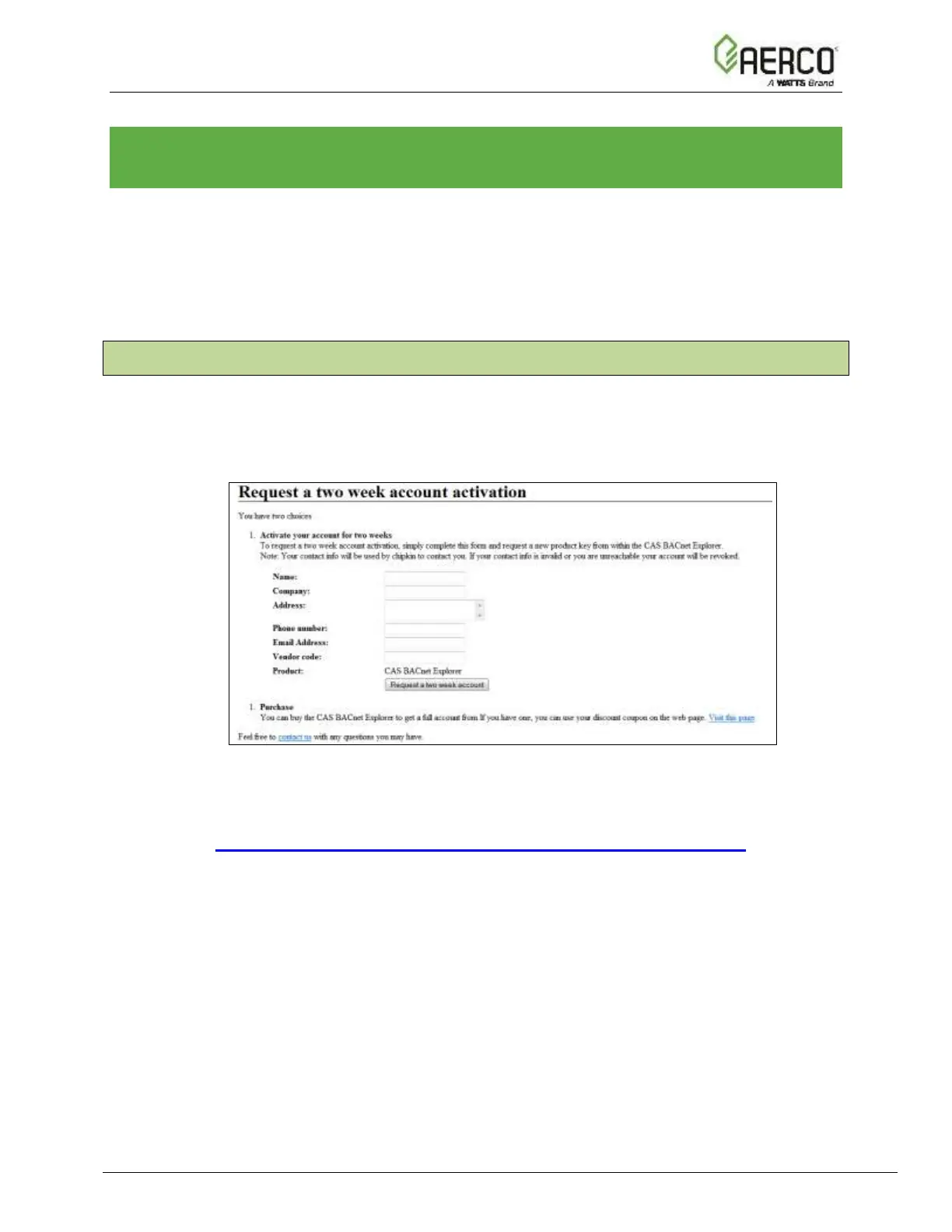
• Go to http://app.chipkin.com/activation/twoweek/ and fill in all the information. Enter
Vendor Code AERCO2BACnet. Once completed, the email address that was
submitted will be registered.
Figure 9-1: Downloading the CAS Explorer
• Go to the following web site, download and install the CAS BACnet Explorer to your
PC: http://www.chipkin.com/technical-resources/cas-bacnet-explorer/


 To Next Page
 Loading...