12
Display connections
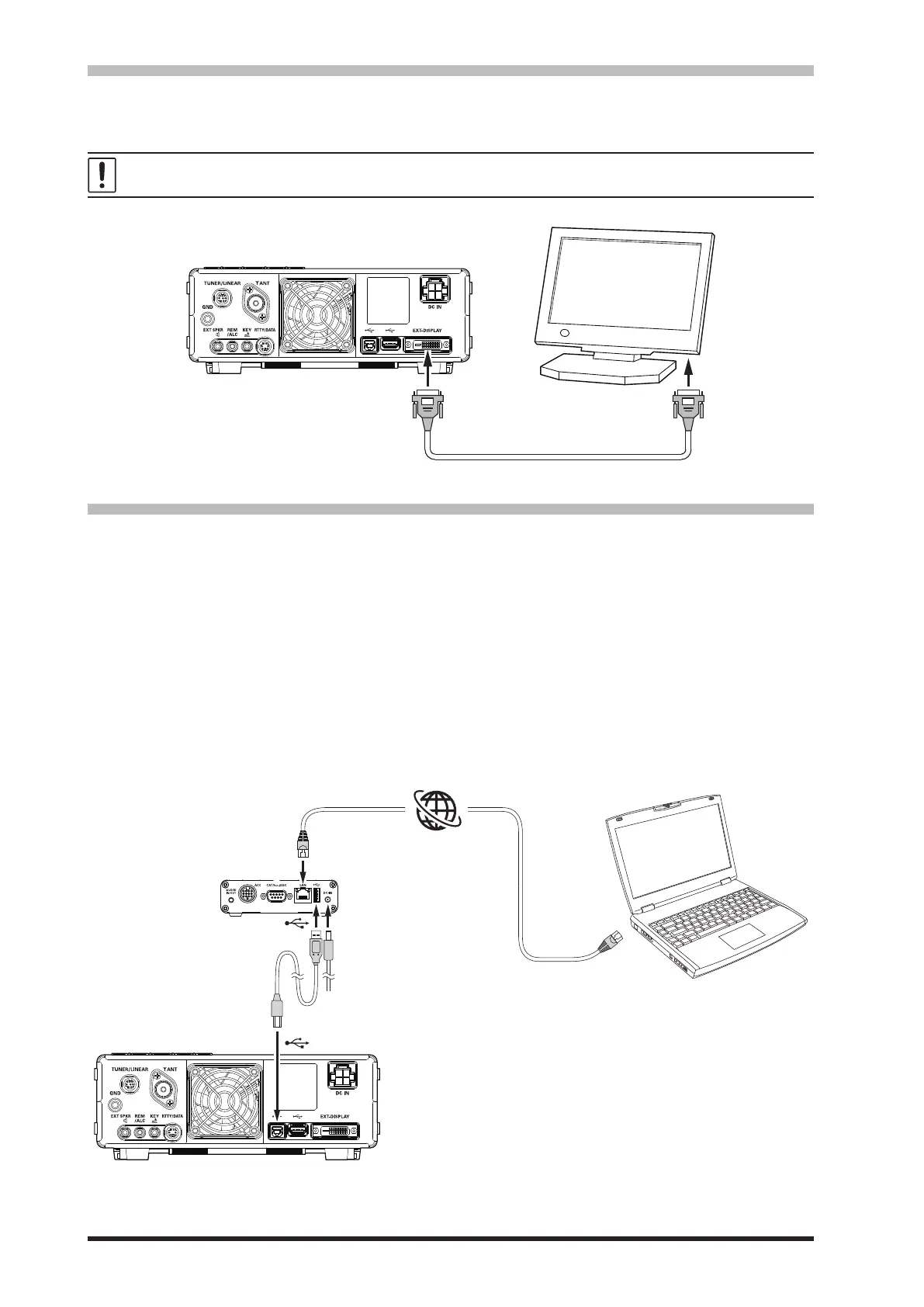
The video digital output of the FT-710 transceiver can be shown on a large monitor. Use a commercially
available DVI-D cable to connect a display monitor directly to the “EXT-DISPLAY” terminal (DVI-D) on the
back of the FT-710.
The DVI-D cable can be used with either single link or dual link.
EXT-DISPLAY
DVI-D Cable
DVI-D
Remote operation (LAN unit “SCU-LAN10”) connection
Operate the transceiver from a remote location. Use the optional LAN unit “SCU-LAN10” to connect
the FT-710 to a LAN or the Internet, then use the PC control software that can be downloaded from the
Yaesu website. In addition to the basic remote operation of the transceiver, the LAN unit supports moni-
toring the various scope displays, so you can operate comfortably. In addition to remote operation from a
remote location, you can connect to your home LAN and monitor the band status on a large display from
a convenient location away from the ham shack.
In addition to transmitted and received audio, the RF scope and AF scope can be remoted, so comfort-
able remote communication can be performed while easily setting and tuning the band status display,
making various lter settings, interference removal function, etc. are possible using the scope function
from a personal computer.
LAN
LAN
DC-IN
or
LAN Network
Remote control PC
Remote control
SCU-LAN10
(option)



 To Next Page
 Loading...