Page 52 FT-991 OperaTing Manual
operAting Mode
SSB
CW
RTTY/DATA-LSB/
DATA-USB
AM
FM/DATA-FM
(
28/50/144/430
MHz Bands
)
nArroW
(
nAr
)
one-touch iF Filter Selection
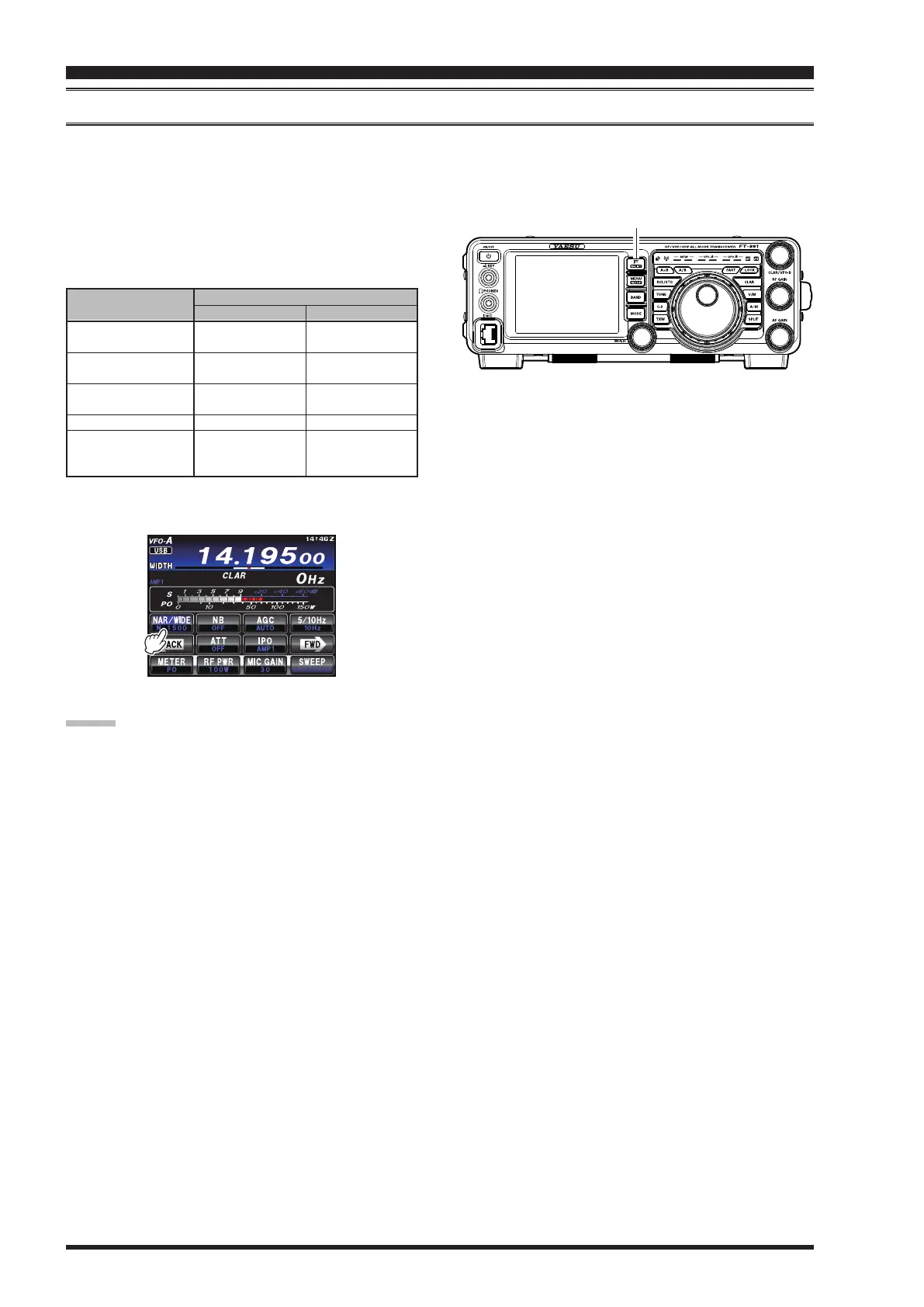
Press the
F(M-LIST)
button todisplaythe function menu list.Touch the
[
NAR/WIDE
]
button toenableone-touch,
mode-specic,selectionof anarrowIF DSPlter settingthatdoes notrequireresettingthe bandwidthcontrolto the
WIDTH/SHIFT system.
Touching
[
NAR/WIDE
]
ontheLCDoncemorereturns
thebandwidthcontroltotheWIDTH/SHIFTsystem.
Thefactorydefaultbandwidthsare:
F(M-LIST) Button
: Depends on the
[
WIDTH
]
setting
( )
: Default Bandwidth
“on”
200 Hz - 1.8 kHz
(
1.5 kHz
)
50 - 500 Hz
(
500 Hz
)
50 - 500 Hz
(
300 Hz
)
6 kHz
9 kHz
“oFF”
1.8 - 3.0 kHz
(
2.4 kHz
)
500 Hz - 3.0 kHz
(
2.4 kHz
)
500 Hz - 3.0 kHz
(
500 Hz
)
9 kHz
16 kHz
[
nAr/Wide
]
touch key
Advice:
If
[
NAR/WIDE
]
ontheLCDhasbeentouchedto
engagethenarrowlter,youmayfurtheradjustthe
narrow IF bandwidth bytouching
[
WIDTH
]
on the
TFT display and rotating the
MULTI
knob.TheIF
SHIFTmayalsobeoperated.
When in the FM mode, touching
[
NAR/WIDE
]
on
theTFTdisplaywill narrowbothtransmitand re-
ceivebandwidths.
interference reJection


 To Next Page
 Loading...