32
Setting the Date and Time
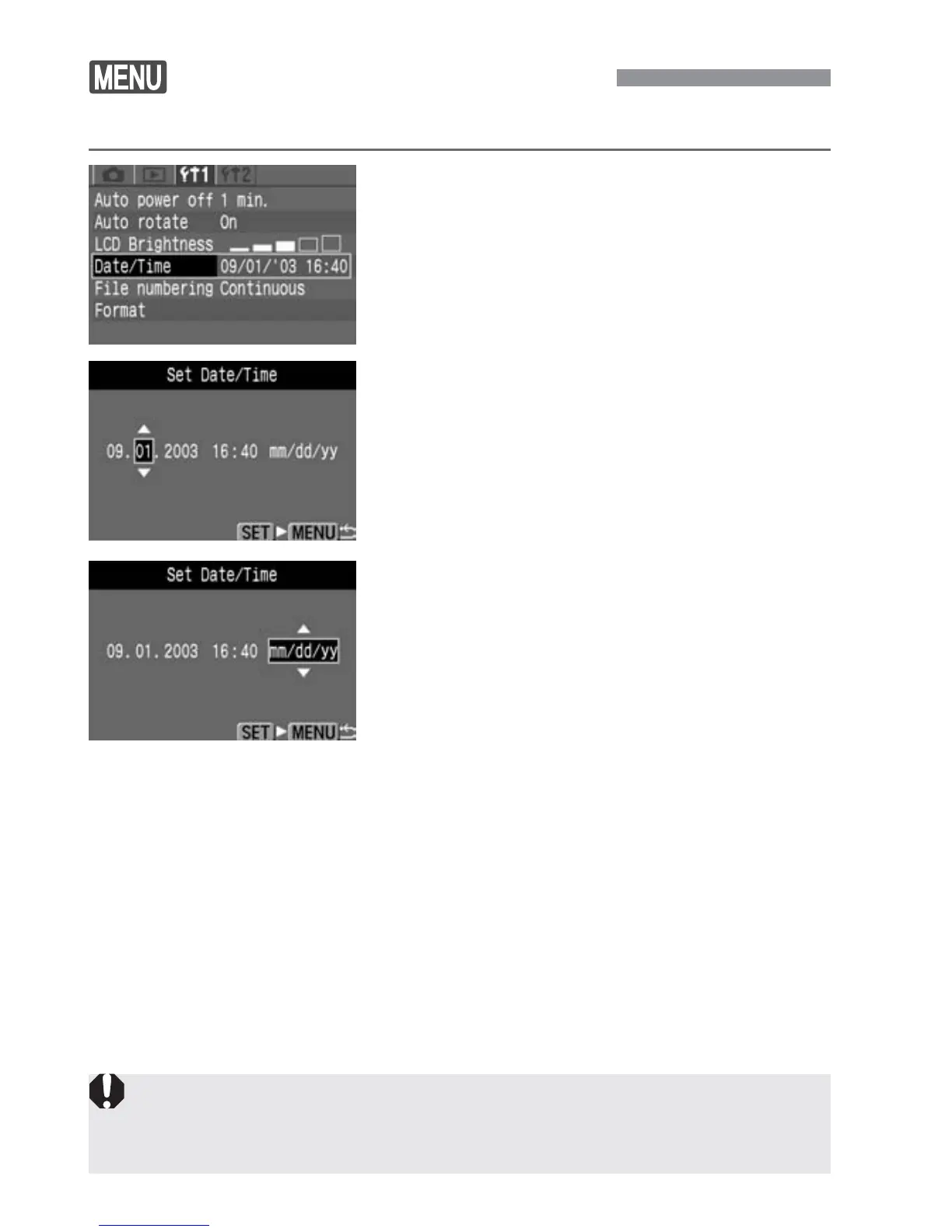
Set the date and time as shown below.
Select [Date/Time].
•
Select the [∆] tab.
•
Press the <å> keys to select [Date/
Time], then press <p>.
s
The Date/Time setting screen will
appear.
1
Each captured image is recorded with the date and time it was taken. If the
date and time are not set, they cannot be recorded correctly. Make sure
you set the date and time correctly.
Set the date and time.
•
Press the <å> keys to set the digits,
then press <p>.
•
The selection will then shift to the next
item.
2
Set the date display format.
•
Press the <å> keys to set the
desired date format to [mm/dd/yy],
[dd/mm/yy], or [yy/mm/dd].
3
Press the <p> button.
s
The date and time will be set and the
menu will reappear.
4


 To Next Page
 Loading...








