60
INFO.
Checking Camera Settings
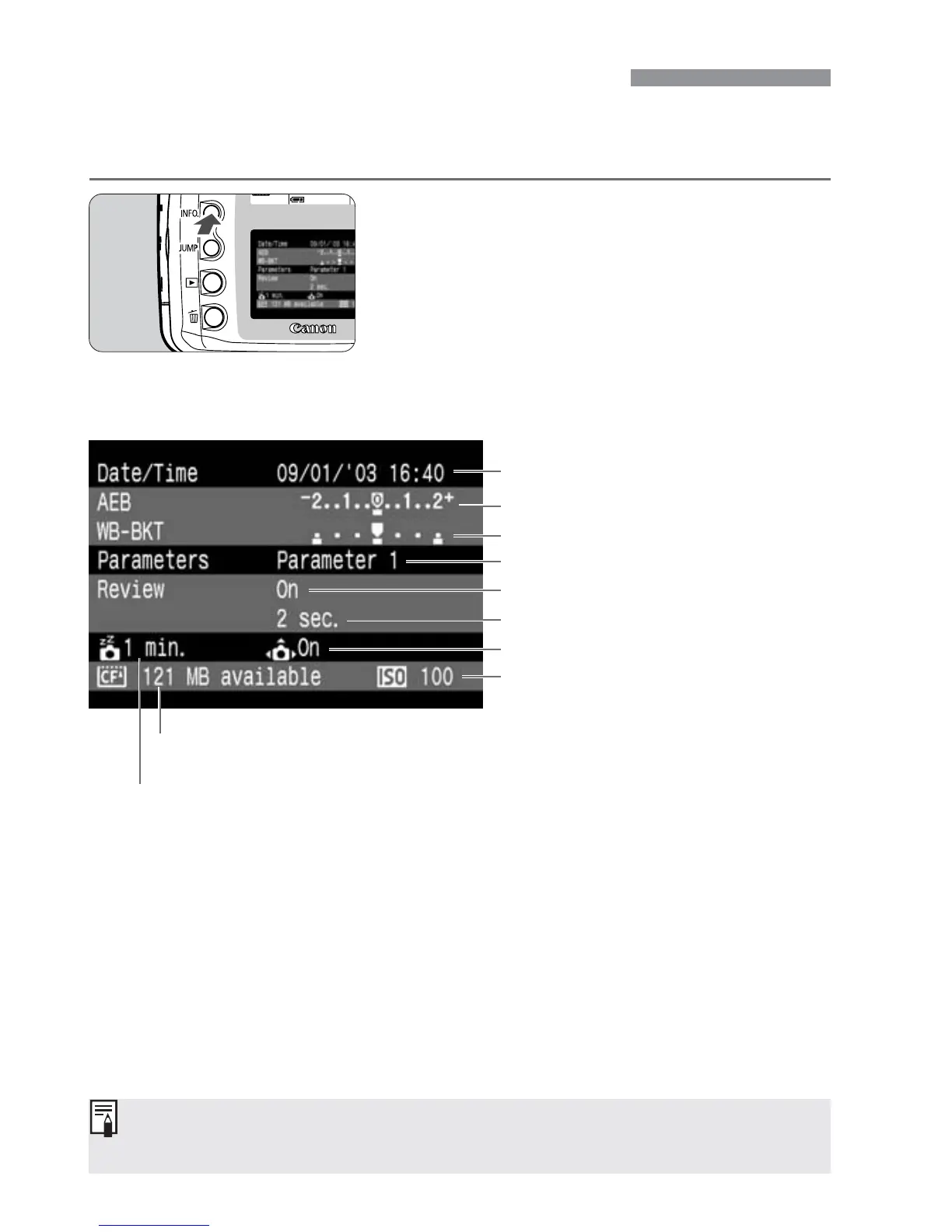
When the camera is ready to shoot, press the <4> button to view
the current camera settings on the LCD monitor.
Display the camera settings.
•
Press the <4> button.
s
The current camera settings appear on
the LCD monitor.
•
Press the <4> button again to
clear the LCD monitor.
Camera Setting Information
For viewing image with shooting information during playback, see “Image
with Shooting Information”. (p.86)
Date/time (p.32)
AEB amount (p.76)
WB-BKT amount (p.53)
Processing parameter setting (p.55)
Image review (p.42)
Image review time (p.43)
ISO speed (p.50)
Auto rotate (p.59)
Auto power off time (p.30)
CF card remaining capacity


 To Next Page
 Loading...








