56
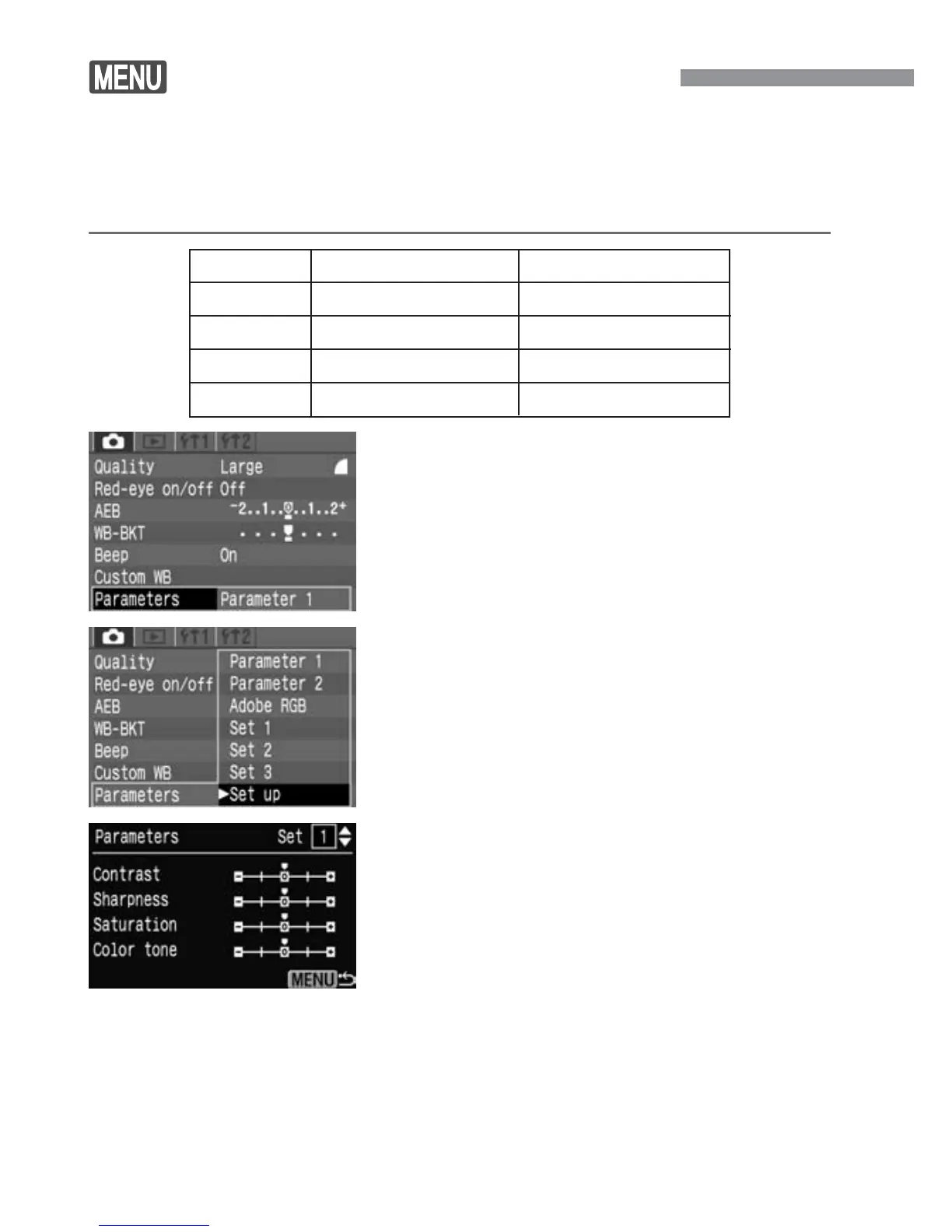
Setting Processing Parameters
The image you capture can be processed automatically by the camera
in accordance with the parameter settings you set (five settings each
for [Contrast], [Sharpness], [Saturation], and [Color tone]). You can
register and save up to three sets of processing parameters.
Parameter
Contrast
Sharpness
Saturation
Color tone
Minus
Low contrast
Less sharp outline
Low saturation
Reddish skin tone
Plus
High contrast
Sharp outline
High saturation
Yellowish skin tone
1
Select [Set up].
•
Press the <å> keys to select [Set
up], then press <p>.
•
The default parameter settings for [Set
1], [Set 2], and [Set 3] are all [0]
(Standard).
2
Select the Set No.
•
Press the <å> keys to select [1], [2],
or [3], then press <p>.
3
Select [Parameters].
•
Select the <˙> tab.
•
Press the <å> keys to select
[Parameters], then press <p>.


 To Next Page
 Loading...








