64
When Autofocus Fails (Manual Focusing)
Autofocus can fail to achieve focus (the focus confirmation light
<n>
blinks) with certain subjects such as the following:
(a) Low-contrast subjects (blue sky, solid-color walls, etc.).
(b) Subjects in low light.
(c) Extremely backlit and reflective subjects (car with a reflective body,
etc.).
(d) Overlapping near and far objects (animal in a cage, etc.).
In such cases, do one of the following:
1. Focus an object at the same distance as the subject and lock the
focus before recomposing.
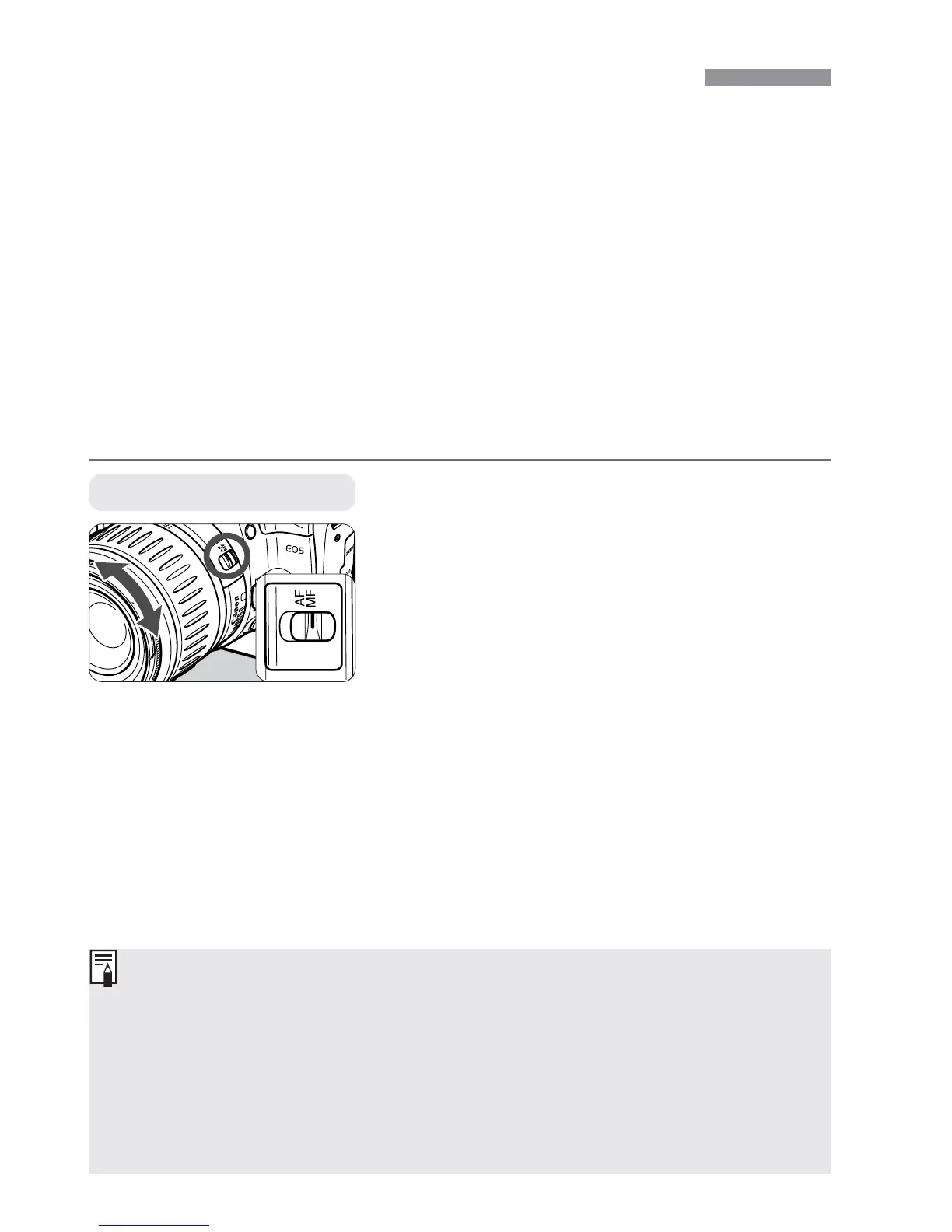
2. Set the lens focus mode switch to <MF> and focus manually.
Set the lens focus mode switch to
<MF>.
1
•
If you press the shutter button halfway during manual focusing, the active
AF point and the focus confirmation light <n> in the viewfinder will light
when focus is achieved.
•
If focus cannot be achieved with an external Speedlite’s AF-assist beam,
select the center AF point. An off-center AF point may not be able to
achieve focus.
•
<AF> stands for auto focus.
•
<MF> stands for manual focus.
Manual Focusing
Focus on the subject.
•
Focus by turning the lens focusing ring
until the subject is in focus in the
viewfinder.
2
Focusing ring


 To Next Page
 Loading...








