71
Depth-of-field Preview
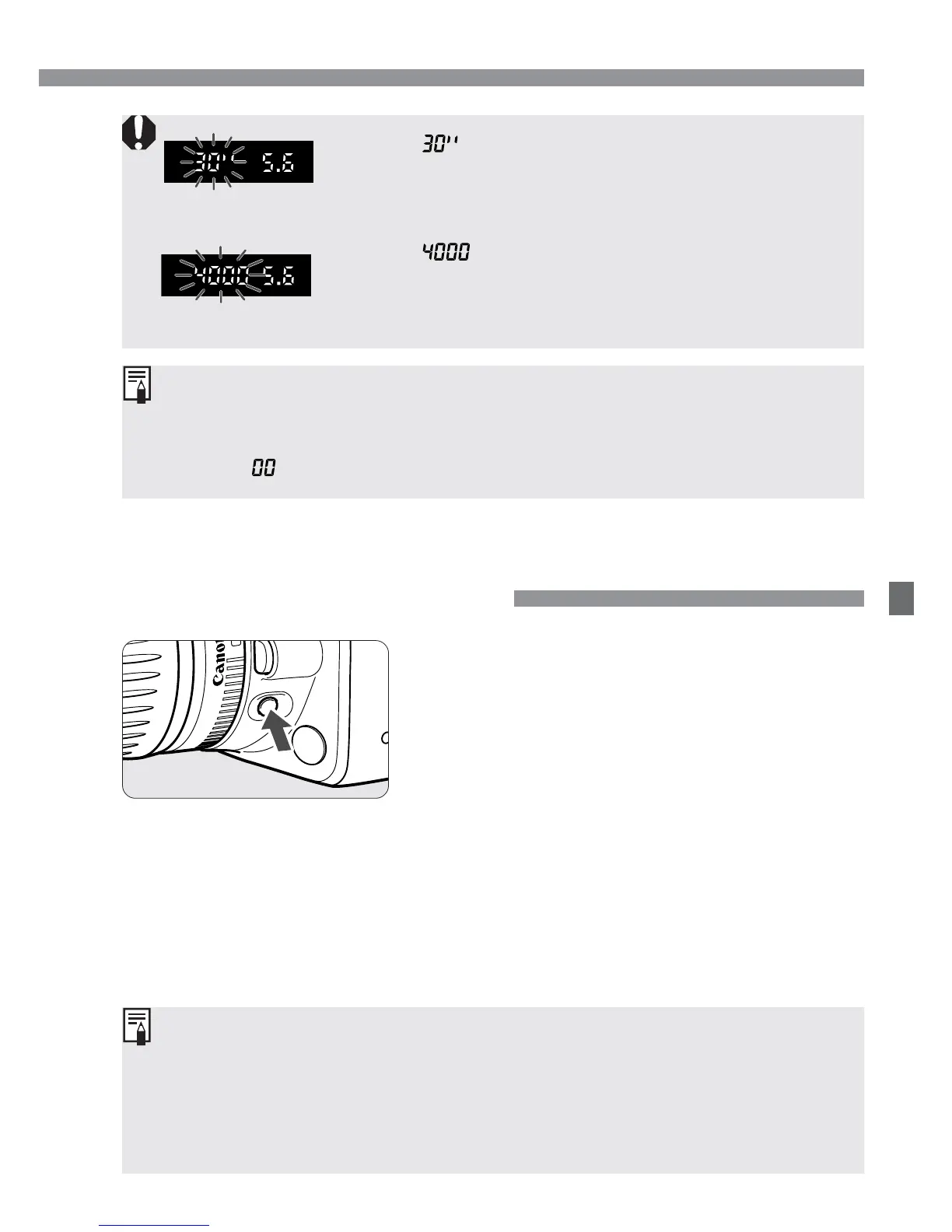
Press the depth-of-field preview button to
stop down to the current aperture setting.
The diaphragm in the lens will be set to
the current aperture so you can check
the depth of field (range of acceptable
focus) through the viewfinder.
•
This feature can be used in the Creative Zone.
•
In the <Q> mode, press the shutter button halfway to focus, then
press the depth-of-field preview button while still pressing the shutter
button halfway.
•
The exposure is locked (AE lock) while the Depth-of-Field Preview
button is pressed.
E Aperture-Priority AE / Depth-of-field Preview
•
If the “ ” shutter speed blinks, it indicates
underexposure. Turn the <l> dial to set a larger
aperture value (smaller f/number) until the blinking
stops. Or increase the ISO speed.
•
If the “ ” shutter speed blinks, it indicates
overexposure. Turn the <l> dial to set a smaller
aperture value (larger f/number) until the blinking
stops. Or decrease the ISO speed.
Aperture Value Display
The larger the f/number, the smaller the diaphragm will be. The aperture
display will differ depending on the lens. When no lens is attached to the
camera, “ ” will be display for the aperture value.


 To Next Page
 Loading...








