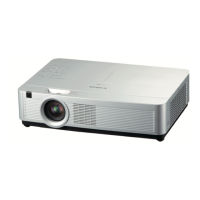
LV-7292A/LV-7297A/LV-7392A/LV-7393A/LV-7398A/LV-8227A/LV-7292M/LV-7297M/LV-8227M
Expand Serial Command Functional Specifications
-30-
8.9.5 CF_STANDBYMICOUT Command
Command “CF_STANDBYMICOUT_%1”[CR]
%1
“ON” ----------------------------- Set StandbyMICout to ON
“OFF” ---------------------------- Set StandbyMICout to OFF
Details
Control StandbyMICout ON/OFF
This command is available in normal Power ON status.
Response
Acceptable “000”[CR]
Unacceptable “Error Code”[CR]
8.10 Setting Command
8.10.1 CF_LANG Command
Command “CF_LANG_%1”[CR]
%1
“ENG” --------------------------- Select English
“DEU” --------------------------- Select German
“FRA” --------------------------- Select French
“ITA” ----------------------------- Select Italian
“ESP” ---------------------------- Select Spanish
“POR” --------------------------- Select Portuguese
“NED” --------------------------- Select Dutch
“SVE” --------------------------- Select Swedish
“RUS” --------------------------- Select Russian
“CHI” ---------------------------- Select Chinese
“KOR” --------------------------- Select Korean
“JPN” --------------------------- Select Japanese
“FIN” ---------------------------- Select
Finnish
“POL” --------------------------- Select Polish
“HUN” -------------------------- Select
Hungarian
“ROM” -------------------------- Select
Romanian
“THA” -------------------------- Select Thai
“TUR” -------------------------- Select Turkish
“KAZ” -------------------------- Select Kazakh
“VIE” --------------------------- Select Vietnamese
Details
Set language for OSD
The language set by this command is stored in EEPROM and its setting is
effective after ALL is OFF.
This command is available in normal Power ON status.
Response
Acceptable “000”[CR]
Unacceptable “Error Code”[CR]
8.10.2 CF_MENUPOSITION Command
Command “CF_MENUPOSITION_%1”[CR]
%1 “SET” ------------------ Move the menu display to next position
Details
Change the menu position
This command is available in normal Power ON status.
Menu postion set by this command is stored in EEPROM and its setting is effective
after ALL is OFF.
Position: center – bottom left-bottom right – top left - top right – center-…
Response
Acceptable “000”[CR]
Unacceptable “Error Code”[CR]



 To Next Page
 Loading...