Description of Print Settings
54
Printer Driver Functions (Macintosh)
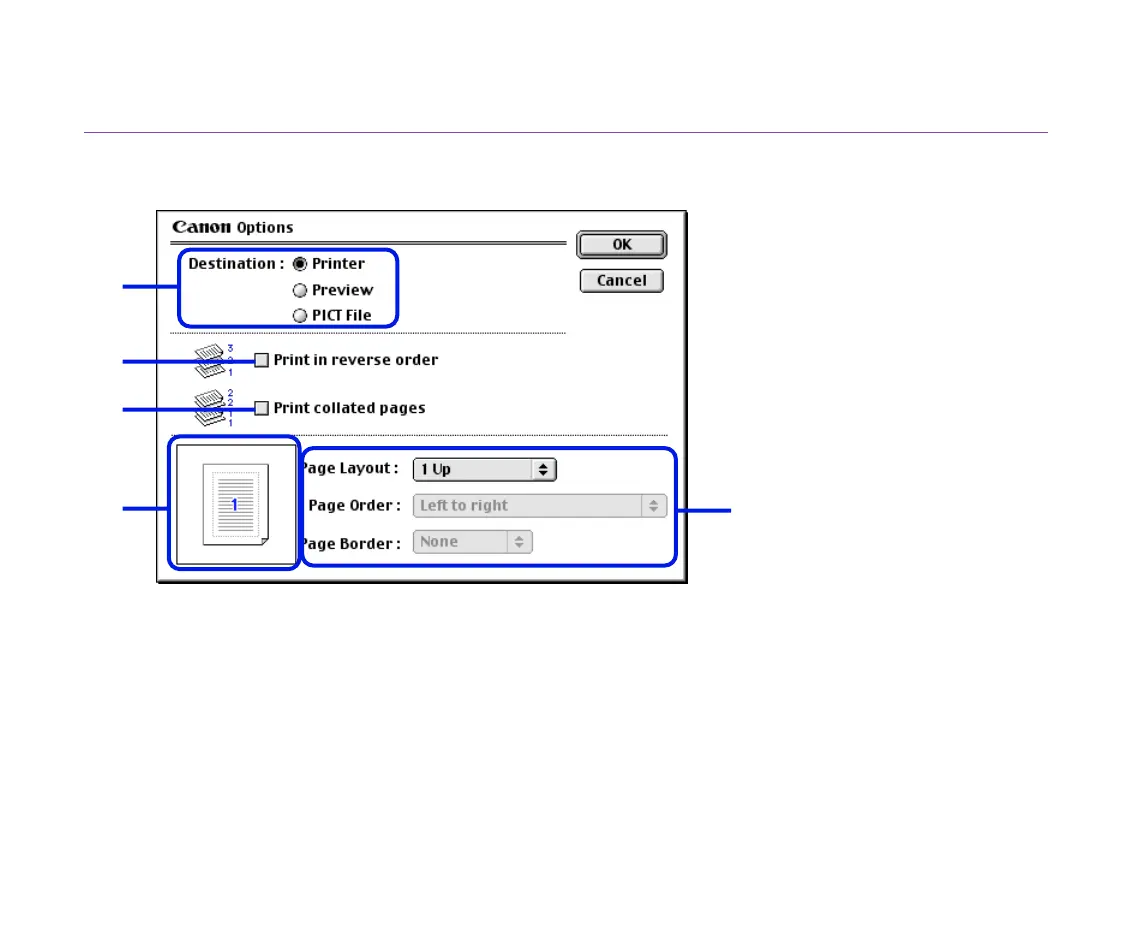
Options Dialog Box
To open the Options dialog box, click the Options... button in the Print dialog box.
(1) Destination
Select the print output destination. Printer is the usual selection.
To check the layout or other image elements before printing, select Preview. To save
the document as a PICT file, select PICT File.
(2) Print in reverse order
Prints the document starting with the last page.
(1)
(2)
(3)
(5)
(4)


 To Next Page
 Loading...