105
Playback
Menus
Table of Contents Index
Playback Controls during Photo Playback
When you play back a photo, touch the screen to display the playback controls to access playback functions.
Adjusting the Volume
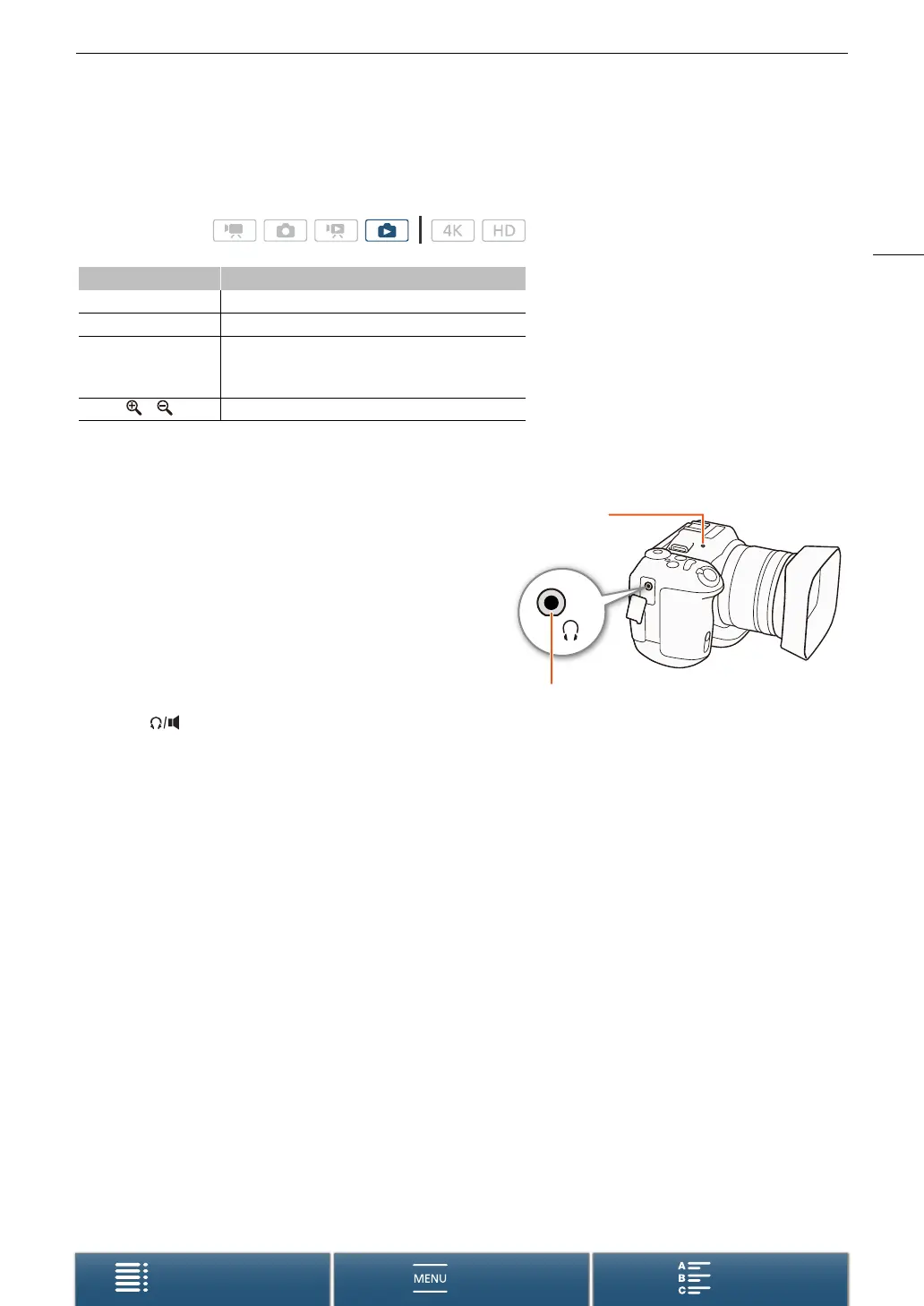
During playback, audio will be output from the monaural
built-in speaker or from the stereo × (headphone) terminal.
When you connect headphones to the × (headphone)
terminal or connect an external device to the HDMI OUT
terminal, the built-in speaker will be muted. The audio signal
will also be output through the HDMI OUT terminal.
1 During playback, touch the screen to display the
playback controls.
2 Touch [ ], drag your finger along the [Headphone
Volume] or [Speaker Volume] bar, or repeatedly
touch the headphone or speaker icon on either end
of it to adjust the volume and touch [K].
Displaying Clip Information
From the index screen, you can display details about clips, such as the bit rate, frame rate and length.
1Touch [I] and then touch the thumbnail of the desired clip.
• The [Clip Info] screen will appear.
• You can touch [Ï]/[Ð] to switch to the previous/next clip.
2Touch [K] twice.
Operating modes:
Button Function
[Ð]/[Ý] Start/stop slideshow playback.
[f] Return to the index screen.
[h]
Photo jump. Touch [Ï] or [Ð], or drag your finger
along the scroll bar to find the desired photo. Touch
[K] to return to single photo view.
[]/[] Photo magnification (A 107).
× (headphone) terminal
Built-in speaker


 To Next Page
 Loading...