30 Astro 320 and DC40 Owner’s Manual
Navigation
The Astro has a preloaded basemap
that includes cities, highways, and
lake and river outlines. The example
shows enhanced map detail using City
Navigator
®
. Go to www.garmin.com.
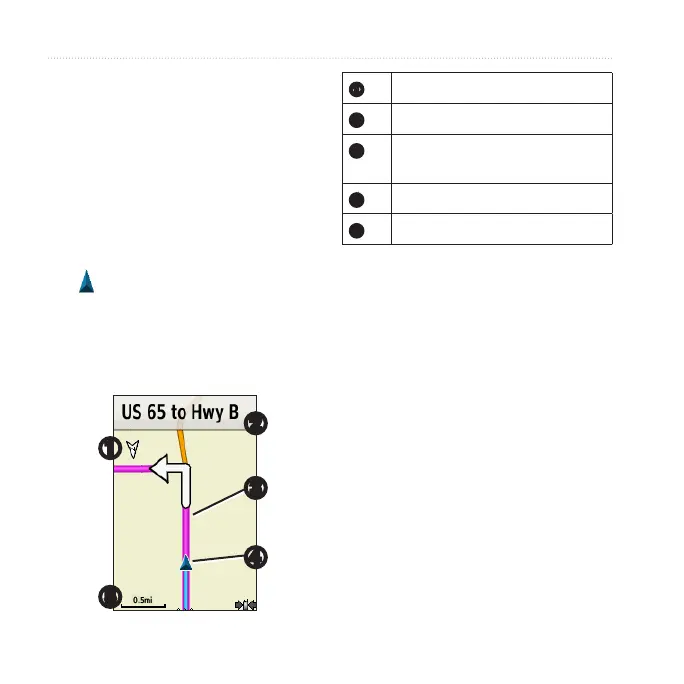
The position icon represents your
location on the map. As you travel,
the position icon moves and leaves a
track log (trail). Waypoint names and
symbols also appear on the map.
➊
➋
➌
➍
➎
➊
Map orientation arrow
➋
Route instructions
➌
Route to destination
(page 31)
➍
Your current location
➎
Map scale
Press IN and OUT to change the
map scale.
1. From the map, press MENU.
2. Select Setup Map > Orientation.
3. Select an orientation:
• Select North Up to show north
at the top of the page.
• Select Track Up to show your
current direction of travel at the
top of the page.
• Select Automotive Mode to
show a perspective view.



 To Next Page
 Loading...